Visual Control: How an Analytical Dashboard is Transforming School Management
What should you do if you are a school principal wanting to assess at a glance how many students are in class today, who missed lessons, and what incidents occurred during classes? Modern school management needs a better answer than manually reviewing logs or calling teachers. An analytical dashboard puts all of that information in one place.
What Is an Analytical Dashboard and Why Is It Important?
An analytical dashboard is a tool for collecting and visualizing data. In the context of a school system, it helps the administration quickly access current information about attendance, academic performance, and student discipline. There is no longer a need to sift through numerous reports. Everything necessary is displayed in convenient charts and tables.
Attendance Tracking
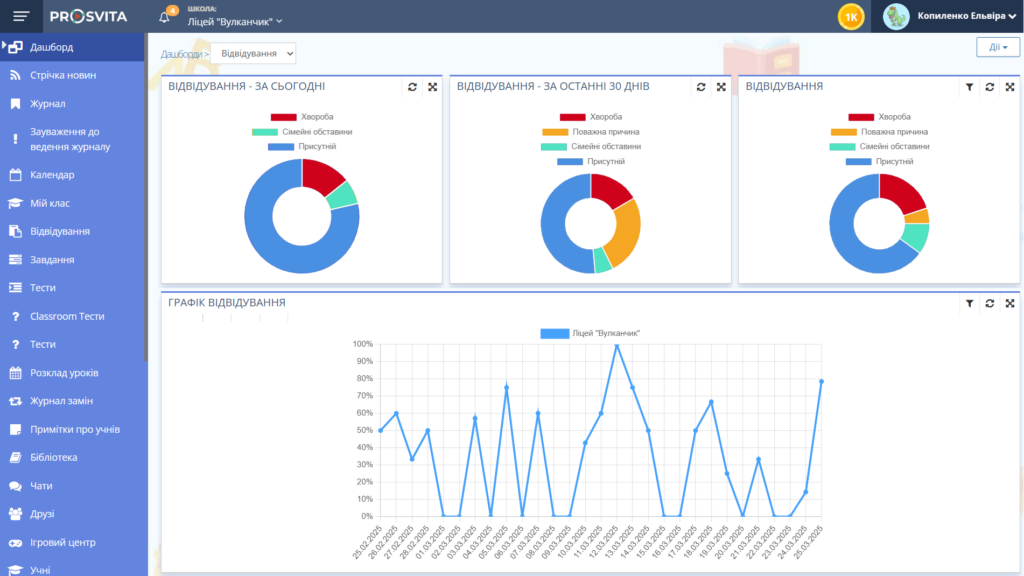
One of the most critical indicators in a school is attendance. The analytical dashboard allows you to see how many students are absent today, over the past week, or over the past month. Interactive filters help analyze this data by classes and dates.
Accessible Notes
For the convenience of teachers and administrators, the analytical dashboard includes a notes feature that keeps context close to the live numbers.
Class Schedules at Your Fingertips
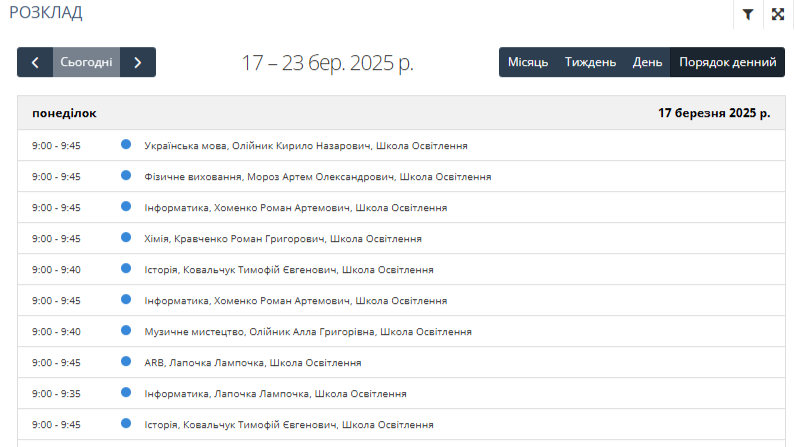
Another useful element is the interactive schedule. It displays all lessons for the day, week, or month, which significantly eases planning for both administration and teachers.
School Incidents
The incident reporting system lets teachers quickly report conflicts, disciplinary violations, or other emergencies during lessons. All of this data appears in a general report, helping management respond promptly.
Filters
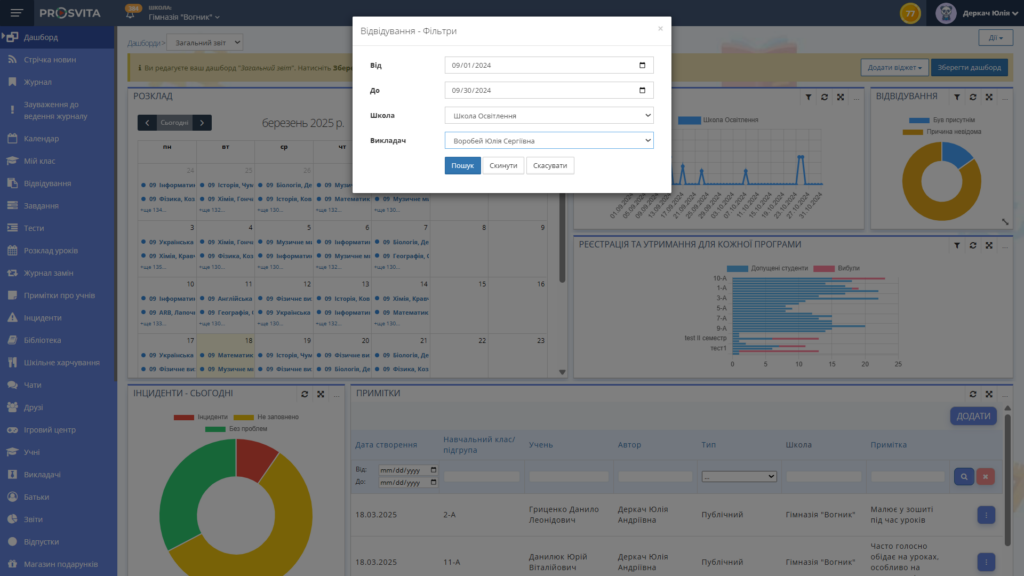
To find the exact information you need at any given moment, the analytical dashboard offers a convenient filtering system. It allows instant sorting by classes, dates, incident types, or other parameters so you receive only relevant information.
Number of Students in the School
The dashboard also allows you to see the total number of students in each class and track changes: who left, who transferred, and how many students are enrolled for the current academic year.
Financial Control
For educational institutions offering paid programs or additional courses, financial tracking is available. This feature shows how many students attend specific programs and their attendance levels.
Customization of Your Widgets
The analytical dashboard provides a wide range of tools for managing school processes, but sometimes standard widgets may not be enough. You can add custom widgets tailored to the data your team needs most.
Contact the support team, describe the data you want to see and how it should be displayed, and specialists will help implement your vision.
Why Is This Important?
An analytical dashboard is not just a collection of numbers and charts. It is a tool that helps school leadership manage more effectively, respond to issues faster, and improve the educational process.
How to Connect to the Platform?
Not with us yet? Reach out through the contact form below to request access and see how the analytical dashboard can support your school.