Every inquiry lands in one place
A website form, a phone call, a walk-in, a referral. They all land in the same list, and the parent's contact details come with them.
Education CRM software
Manage inquiries, admissions, payments and enrollment in one place. Once a student enrolls, their record is already set up for classes, attendance and grades.
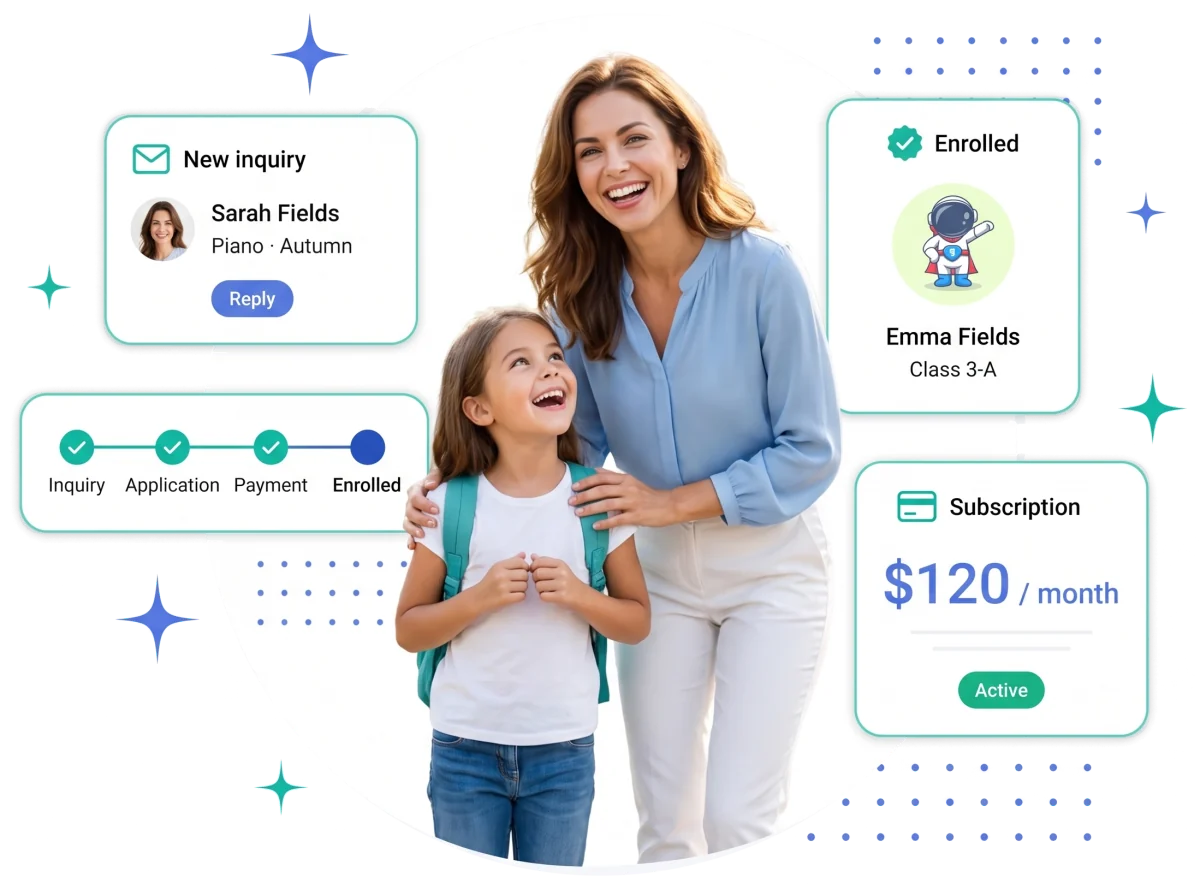
Most schools glue together a sales CRM, a few spreadsheets, a billing tool and a separate gradebook. The student's details get entered four times over and still go stale.
A website form, a phone call, a walk-in, a referral. They all land in the same list, and the parent's contact details come with them.
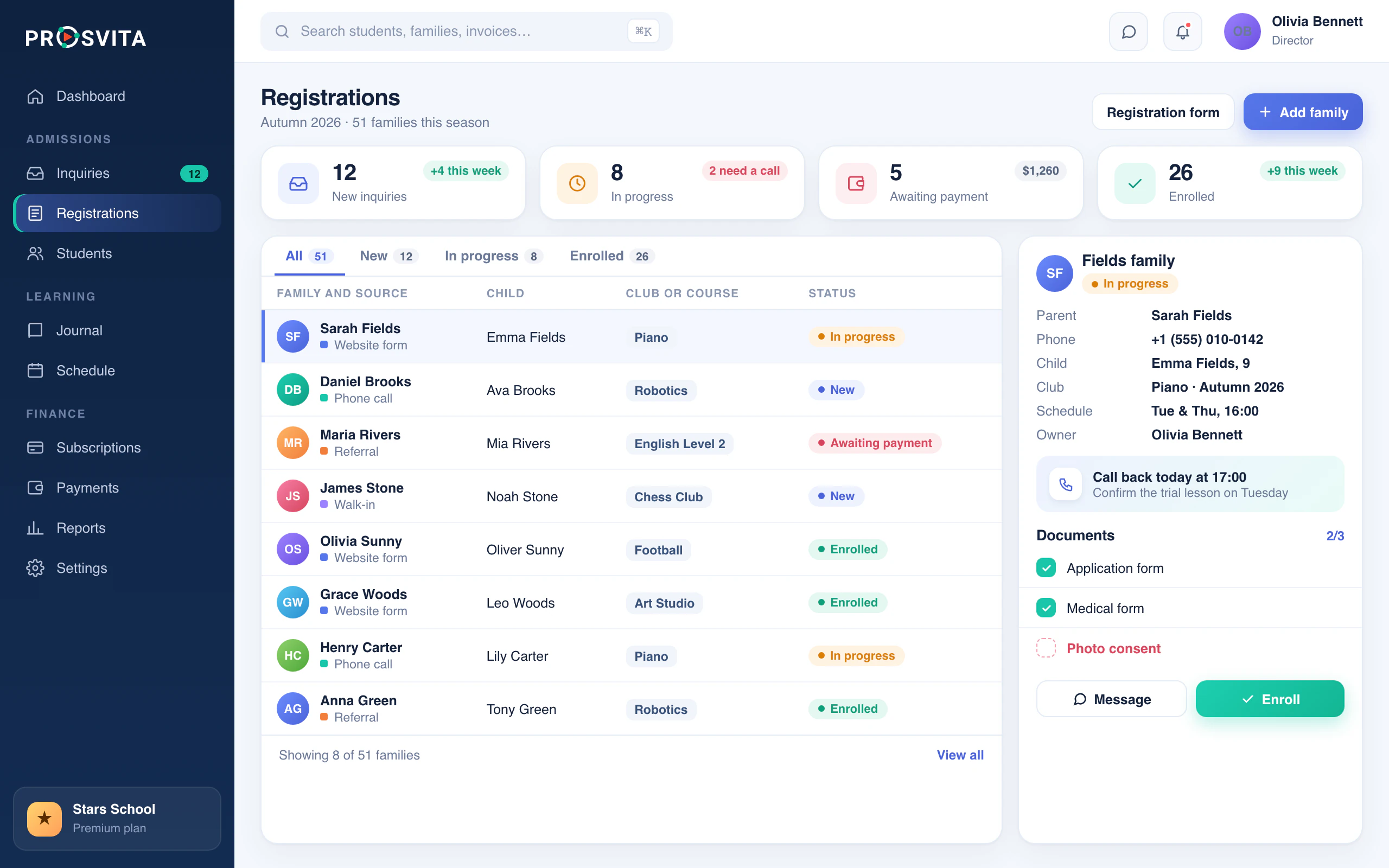
Assign an owner, set the follow-up, see which documents are missing. Nothing sits forgotten in someone's inbox.
One click turns an accepted applicant into a student record. The contacts, the history and the file all stay.
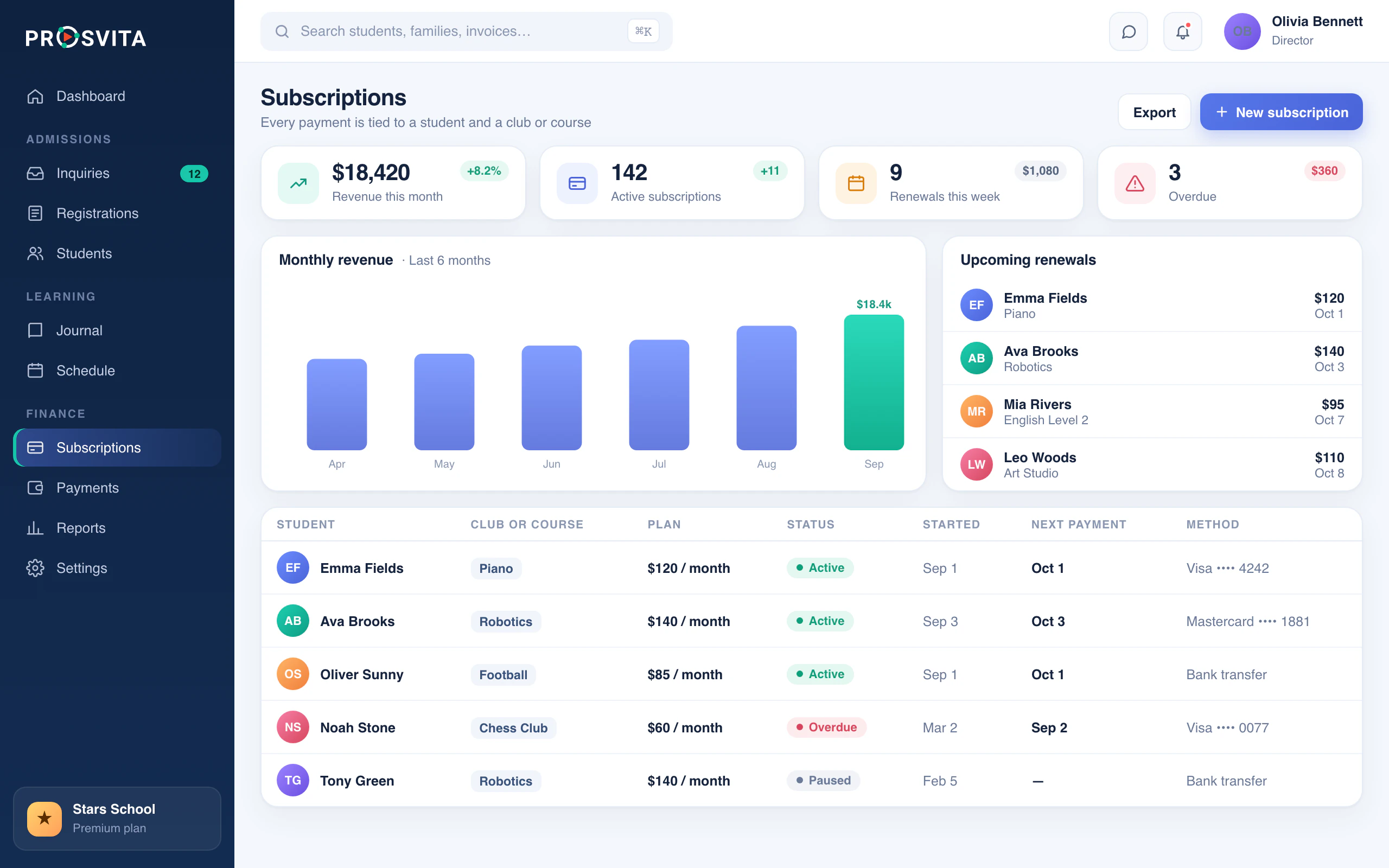
Subscriptions, invoices and renewal dates live on the student's profile and stay tied to their program. Nothing is stranded in a separate finance app.
Add the student to a group, put them on the schedule, open their journal. No new login, no export.
Messages to students, parents and teachers run through one thread. Parents also get the mobile app.
Four steps, one student record: from the first inquiry to the first grade.
See who registered, which program and session they picked, and how to reach the family. No hunting across three tabs.
Track subscriptions and billing periods on the student's own record, not in a finance tool that doesn't know who they are. See plans and pricing.
When the applicant becomes an active student, nothing gets left behind. The inquiry history, the family and the program all carry over. It's the same record the student information system uses.
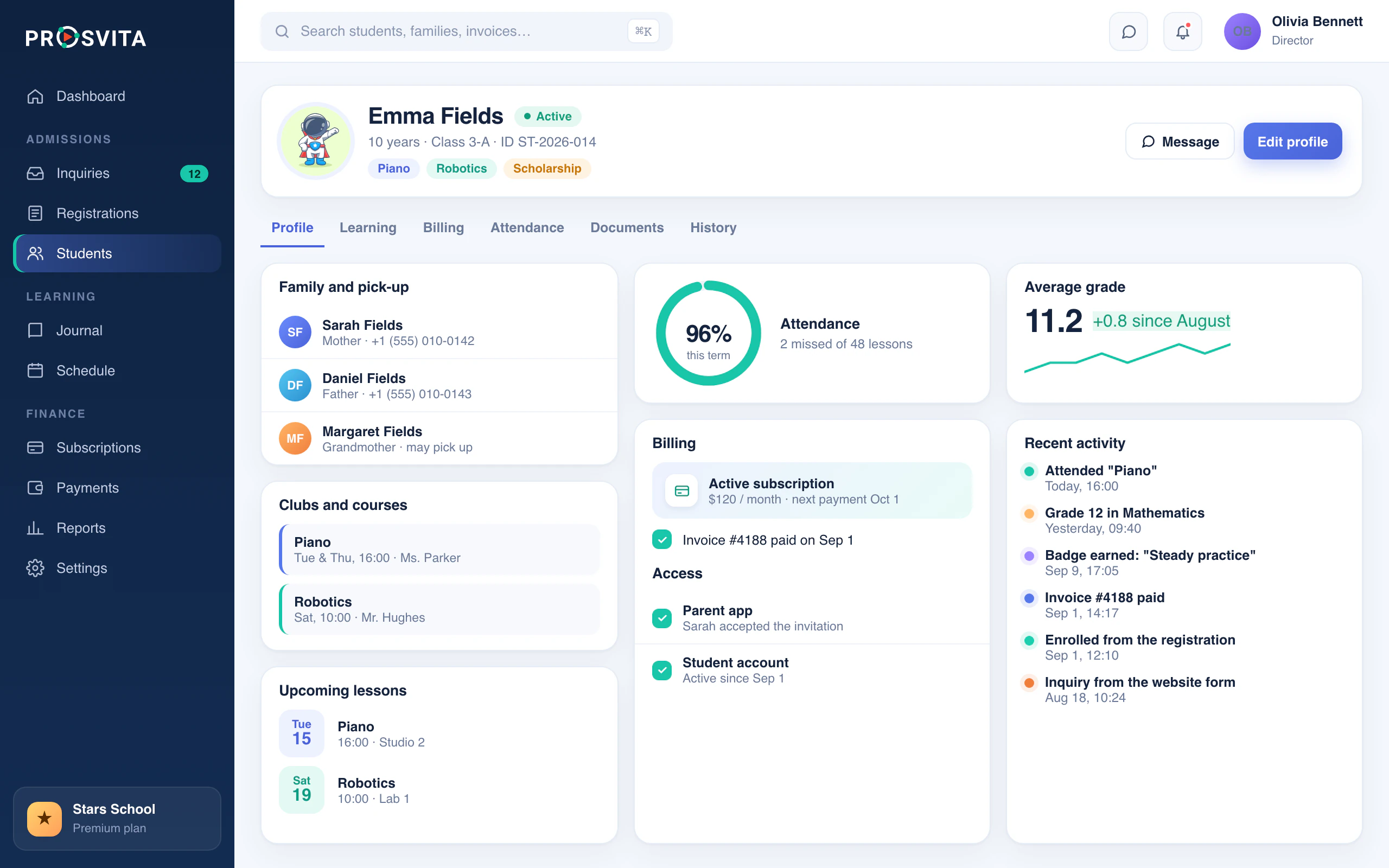
For most CRMs the story ends at "deal won." Here that's where the work starts: classes, schedules, the journal, attendance, progress. AI can flag students who are falling behind before it shows up in a report.
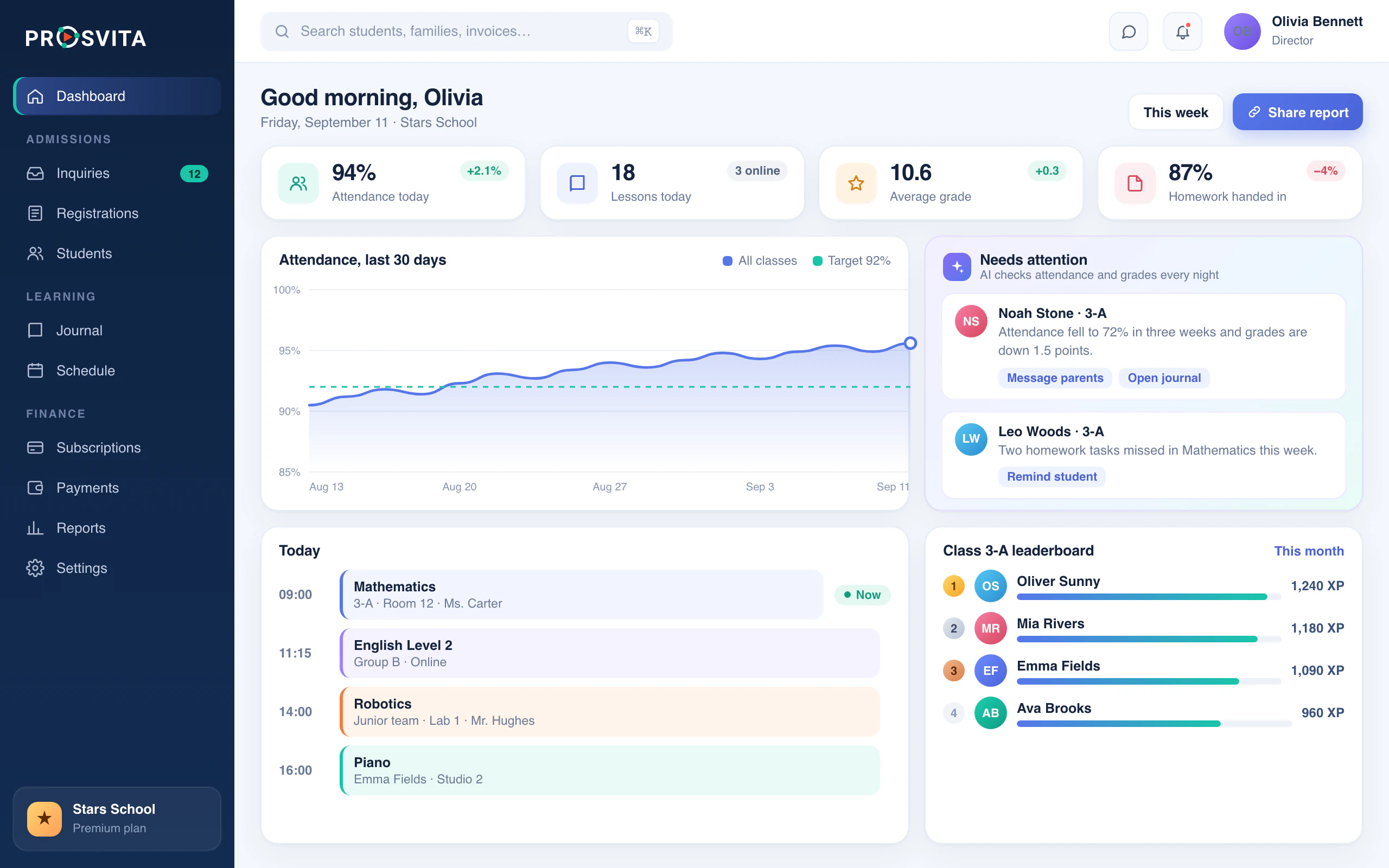
The same job, two ways to do it: bend a general-purpose CRM until it sort of fits, or use one where admissions, payments and learning are already connected.
| Aspect | Generic CRM | Prosvita |
|---|---|---|
| Setup | You customize it to fit a school | Ready-made admissions and enrollment workflows |
| Student data | Copied between separate tools | One record for applicant, student and family |
| After enrollment | Ends at "deal won" | Groups, schedules, payments and learning stay connected |
| Keeping it together | Held together by integrations | One platform; the relationship continues after enrollment |
Admissions plus the day-to-day running of the school
Enrollment, messaging and the distance learning platform
Programs, groups and schedules, art & music schools included
Registrations, subscriptions and daily check-in
Education CRM software helps a school track prospective students from the first inquiry through admissions and enrollment, and keep in touch along the way. Prosvita carries that same record into payments and the learning process.
An education CRM handles the road to enrollment: inquiries, follow-ups, applications. A student information system handles enrolled students: records, groups, schedules, grades. Prosvita is both, so an applicant turns into a student without anyone retyping the data.
Yes. Registrations come into one list, follow-ups get scheduled, applicants are linked to programs, and none of that history is lost when they enroll.
Yes. It runs private schools, training centers, online and language schools, clubs, and after-school programs.
Yes. Prosvita connects AI models like ChatGPT, Claude and Gemini to your school's own data, so you can generate reports and lesson materials, analyze student progress and automate routine work. See AI for education.
Prosvita is a subscription, billed monthly or annually. Current tiers are on the pricing page.
A generic CRM has to be customized and wired to separate billing and learning tools. In Prosvita, students, groups, schedules, payments, attendance and learning are already the same platform.
Tell us about your school and we will show you the admissions, payments and learning workflow on your own numbers.