Prosvita v3.50: program intakes free of the academic year
Prosvita v3.50 is built first for providers that run clubs and courses: language schools, coding courses, art studios, sports sections and out-of-school centres. Those places work differently from a general education school. An intake can open in October, in January or in the middle of summer, a group lives exactly as long as its course runs, and the academic year is not the unit everything revolves around.
The main change in this release is exactly that. The selected academic year now scopes data in reports and affects nothing else. Schedules, groups, intakes, sessions and payments do not depend on it, so a new course can start whenever it is ready, without checking it against a school calendar.
The second large part of the release is for the parents doing the enrolling. Registration is no longer a form you have to finish in one sitting. Parents the platform recognises are met with a list of their children instead of empty fields, the page can be closed and reopened later, and an unfinished application waits as a banner on the account.
The release also brings order to the session journal, lets each provider see only the modules it actually uses, and opens the platform to AI assistants through the open MCP protocol.

Key capabilities for providers running clubs and courses
The academic year no longer dictates when an intake starts
In a provider that runs clubs and courses, the academic year rarely lines up with the school one. A language group starts when it fills, a coding course runs three months and repeats several times a year, a summer studio lasts a fortnight. Pinning any of that to September makes no sense.
In v3.50 the selected academic year scopes data in reports only. Everything else stays outside that scoping: schedules, groups, programs, intakes, sessions and payments work regardless of which year is selected. Student sections no longer depend on academic terms where that dependency served no purpose.
In practice this means a report for the selected period shows that period and nothing bleeding in from earlier ones, while the provider's daily work carries on and nothing is hidden. The next step we are working on is letting the data live entirely inside the club or course itself, without consulting an academic year at all.
Use case: A language school opens a new English group in November, in the middle of the school year. The schedule, the intake and the payments are created in the ordinary way and run into nothing. When the course ends, the administrator builds a report for the period she needs and sees only this group, with no data from last year's intakes.
Program registration: parents do not start from scratch
Enrolling a child is noticeably simpler for parents who are already in the system.
When the platform recognises a parent, every child previously linked to their account appears in the form as a selectable option, above the "Add new child" button. Choosing a child fills the registration with that child's data. Adding a new child works as before, and first-time visitors still see the familiar empty form.
The registration page is no longer locked. A parent can close it, refresh it or navigate elsewhere without a blocking modal or a warning prompt. If an application is left unfinished, a yellow banner appears on their account with a button that reopens the registration at the right step. The banner disappears once the application is completed or cancelled.
The order of steps has been tidied up alongside this: the agreement signature is required whether the child was selected before or after the program, medical information is pre-filled in both add-a-child paths, and the same child can no longer be enrolled in the same program twice.
Use case: A mother whose elder daughter has been going to art classes for two years enrols her younger son on a robotics course. She picks him from the list of her children instead of re-entering his date of birth and medical details. Halfway through she has to leave, so she closes the tab. That evening a banner on her account reads "Unfinished registration", and she finishes from the step where she stopped.
The session journal shows what it stores
The journal allows several columns for one session. Marks entered in the additional columns used to be stored but not shown: the teacher saw an empty column, could not delete it, and had no way of knowing why the system refused.
Stored and shown now agree. A column with no data of its own can be deleted, and a column that holds data displays it honestly. Hidden duplicate attendance marks no longer distort reporting.
The journal on a phone received its own round of attention: colours were aligned, spacing between date headers, participant rows and grade cells was rebalanced, tap targets were enlarged and typography was made consistent so the journal reads comfortably on a small screen. Batch update on mobile, which previously did nothing, now works, and the assessment type dropdown on mobile no longer needs a page reload to populate.
Use case: A judo coach marks attendance from a phone, standing in the hall. He opens the session, marks the whole group with a batch action and closes the journal, without scrolling through lists or waiting for reloads.
Every provider sees only its own modules
Prosvita does a great deal, but no provider needs all of it at once. A coding course centre does not issue report cards, and a sports section does not build a school timetable.
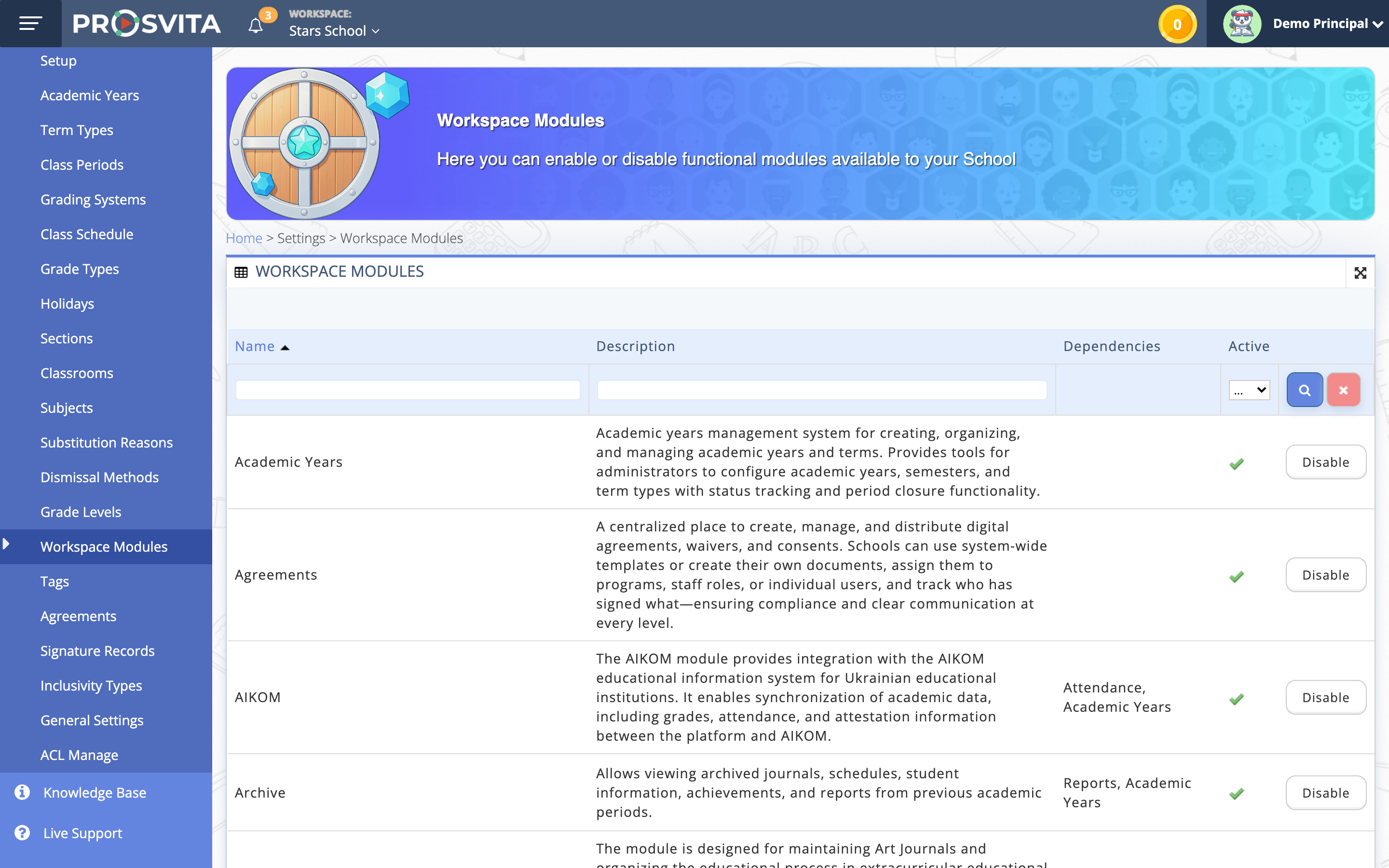
A provider now sees only the modules enabled for it, in the menu and on the dashboard. Disabled ones are not shown at all: no greyed-out entries, no tooltips, no empty screens, and opening one by direct link returns a clear response instead of a broken page. Switching between workspaces refreshes the module list for each of them.
Settings pages gained a guide block at the top with a short explanation of what the section is for and what can be done in it, plus breadcrumbs above the title so you can see where you are and how to get back up a level. The guide can be collapsed, and that choice is remembered. The mobile dashboard now carries a clear block explaining that editing is available on desktop.
Use case: A small coding course centre uses intakes, the schedule and the journal. Its administrators see a clean menu of a few sections instead of a long list half of which leads nowhere, and a new member of staff reads straight from the guide block what the page actually configures.
Prosvita answers AI assistants
Prosvita supports MCP, the open protocol modern AI assistants use to work safely with external systems. In practice this means an assistant can, at an administrator's request, gather a group roster, prepare the data for a report or create a record in the platform, working with the provider's real data rather than a retelling of it.
The connection goes through the platform's own authorisation, so the assistant sees exactly what the user's role permits and gains no rights beyond it. Every tool carries a clear description, a declared response structure and a marker stating whether it only reads data or changes it, so an assistant does not perform a write where a read was asked for.
The domain behind the Prosvita MCP connection has passed ownership verification for the OpenAI apps directory, so the connection is made to a confirmed source.
Use case: The administrator of a studio network asks an assistant to gather the children who signed up for this month's autumn intakes. The assistant queries Prosvita on her behalf, receives exactly the data she has access to, and returns a finished list without exports or hand-built spreadsheets.
Software release notes
New features
- The academic year scopes data in reports and does not restrict schedules, groups, programs, intakes, sessions or payments
- Previously added children appear as selectable options in the program registration form for a recognised parent
- An unfinished registration banner on the parent's account that reopens the right step, replacing the page lock
- MCP protocol support: platform tools are available to AI assistants over an authorised connection
- Descriptions, declared response structures and read-only markers for every MCP tool
- Verified domain for the MCP connection in the OpenAI apps directory
- Guide block and breadcrumbs on settings pages, with the collapsed state remembered
- A block on the mobile dashboard explaining that editing is available on desktop
- Only enabled modules are shown in the workspace, in menus, on the dashboard and by direct link
- Text results for State Final Attestation and final assessment carry through to the summary achievement report and the report card, for providers running a general education programme
Improvements
- Refreshed colours, spacing, tap targets and typography in the journal on mobile
- Additional journal columns show what they store and can be deleted when they hold no data of their own
- Student sections no longer depend on academic terms where that dependency served no purpose
- Registration steps tidied up: the agreement signature is required regardless of when the child was selected
- Medical information is pre-filled in both add-a-child paths during registration
- The "Cancel" button when creating homework now navigates away correctly
- The record identifier was added to the import logs page address
Fixes
- The same child can no longer be enrolled in the same program more than once
- The add-a-new-child form opens from the dropdown in the registration form
- Batch update works in the mobile version
- The infinite loading spinner when a participant uploads work in journal notes has been removed
- The infinite loading spinner when deleting an assignment template has been removed
- Images and videos in test questions are no longer broken when a save is interrupted by leaving the page quickly
- A re-enrolled participant no longer shows as "Withdrawn" in the subgroup view when the date filter crosses a prior withdrawal
- Usernames differing only in letter case are recognised as one record during import
- The user identifier in participant and staff names in the archive has been corrected
- Group stream records open from the actions menu without an error screen
- Session streams work when both an image and a link are added
- The assessment type list appears in the mobile version without a page reload
- Spacing, the chat badge, the profile exit item and the return to the main profile were fixed in the alternative interface themes
- Test search finds names containing an apostrophe
How to get started with the new capabilities
The new academic year behaviour and the journal column fix work automatically right after the update, with nothing to switch on. Parents see the updated registration on their own account, and a provider's module list is configured in Settings under Workspace Modules. An AI assistant connection is set up by an administrator. Contact us!
Frequently asked questions (FAQ)
Do clubs and courses have to run inside an academic year?
What exactly changed about the academic year in v3.50?
Will the academic year be dropped entirely for such providers?
Will data from earlier periods disappear?
What does a parent who has enrolled a child before see?
What happens if the registration is not finished in one sitting?
What is MCP support and why does a provider need it?
Does an AI assistant get access to all of a provider's data?