Prosvita v3.47: e-Signatures for Program Agreements and Smarter Student Import
Prosvita v3.47 focuses on two jobs every school office repeats all year: collecting parent consent and keeping student records accurate. Program agreements can now be signed online with electronic signatures, and student import no longer creates duplicate accounts for people who already exist in the platform.
This release brings together the Agreements and e-Signatures work and the student import enhancement into one product overview. Together they make enrollment paperless and auditable, and they keep your student data clean as it grows.
For schools and education networks, this is a practical operations release. Parents sign consent forms during enrollment instead of on paper, administrators see a full audit trail of every signature, and re-importing class lists no longer produces duplicate students to clean up afterward.
Key Features for School Administrators, Teachers and Education Networks
Sign Program Agreements Online With e-Signatures
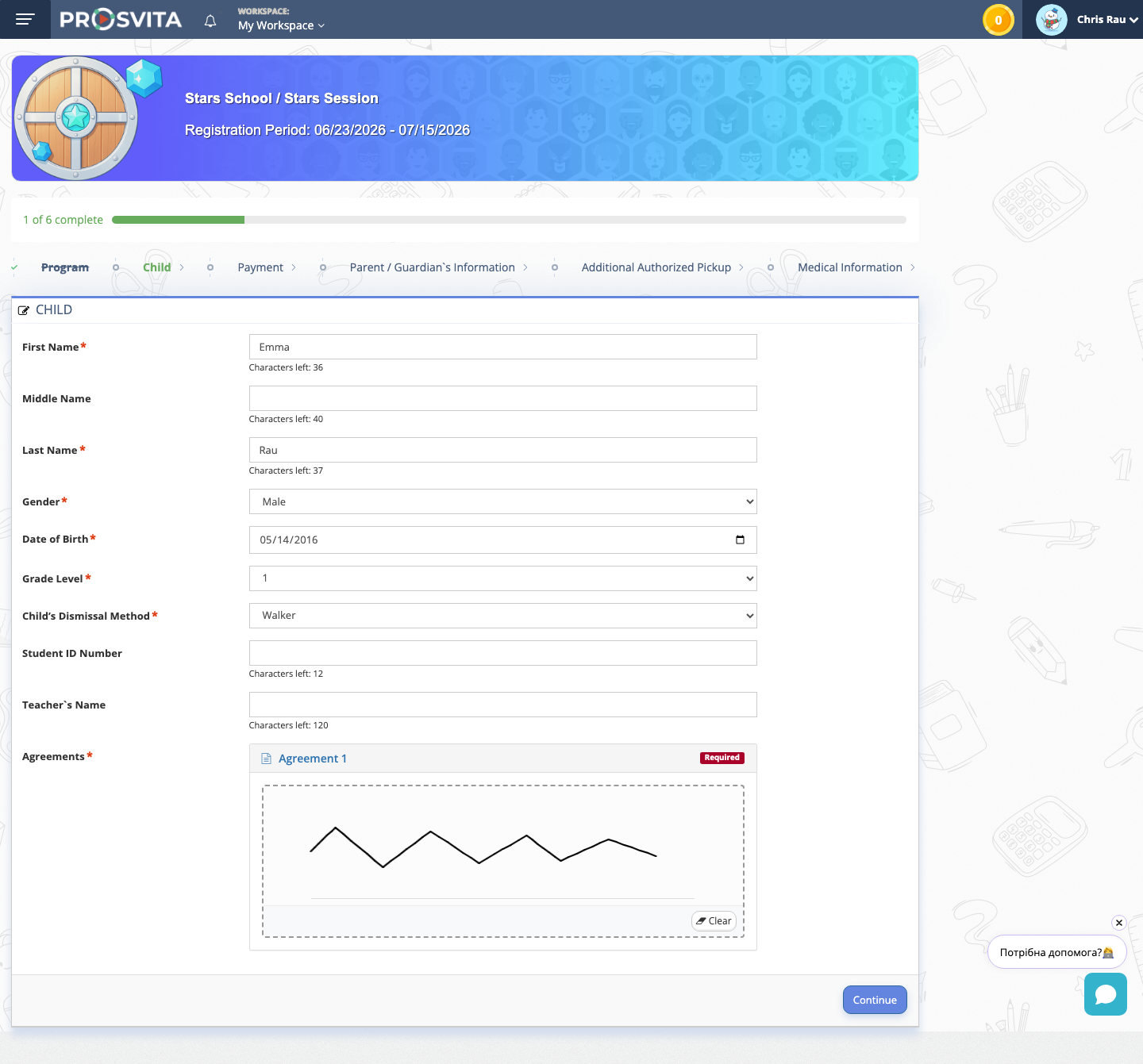
Enrolling a child in a program usually comes with a stack of forms: participation consent, media releases, field trip permissions. In v3.47 those agreements are signed online during enrollment. On the Child step of the sign-up flow, the parent sees each required agreement and signs it directly, using a drawn signature, a checkbox confirmation, or a typed name.
The agreement is linked to the child's registration, and the parent cannot complete the step until every required document is signed. No printing, no scanning, no paper to collect at the front desk.
Use case: A parent enrolls a child in an after school program from a phone. On the Child step, the parent reads the participation agreement and signs it by drawing a signature, then continues to the next step. The consent is captured the moment it is given.
Manage Program and Session Agreements
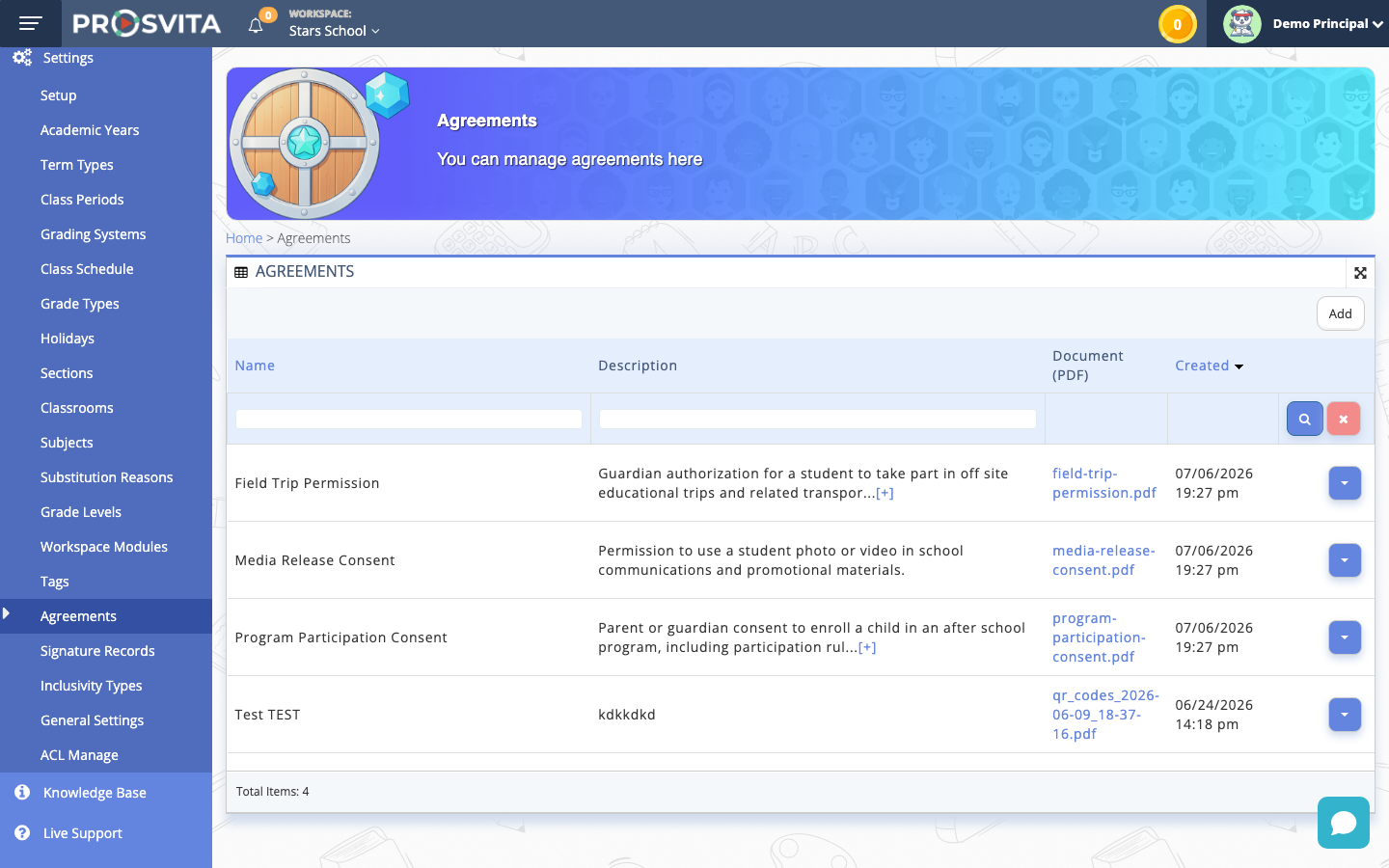
Administrators manage all agreements in one place. Each agreement is added as a PDF with a name and description, then assigned to a program or a session and marked required where consent is mandatory. The same agreement can be reused across programs, so a school sets up its consent documents once and applies them everywhere they are needed.
Use case: An administrator uploads the school's participation consent, media release and field trip permission as PDFs, then assigns the participation consent to the current session and marks it required. Every parent enrolling in that session is now asked to sign it.
A Complete Audit Trail of Signed Documents
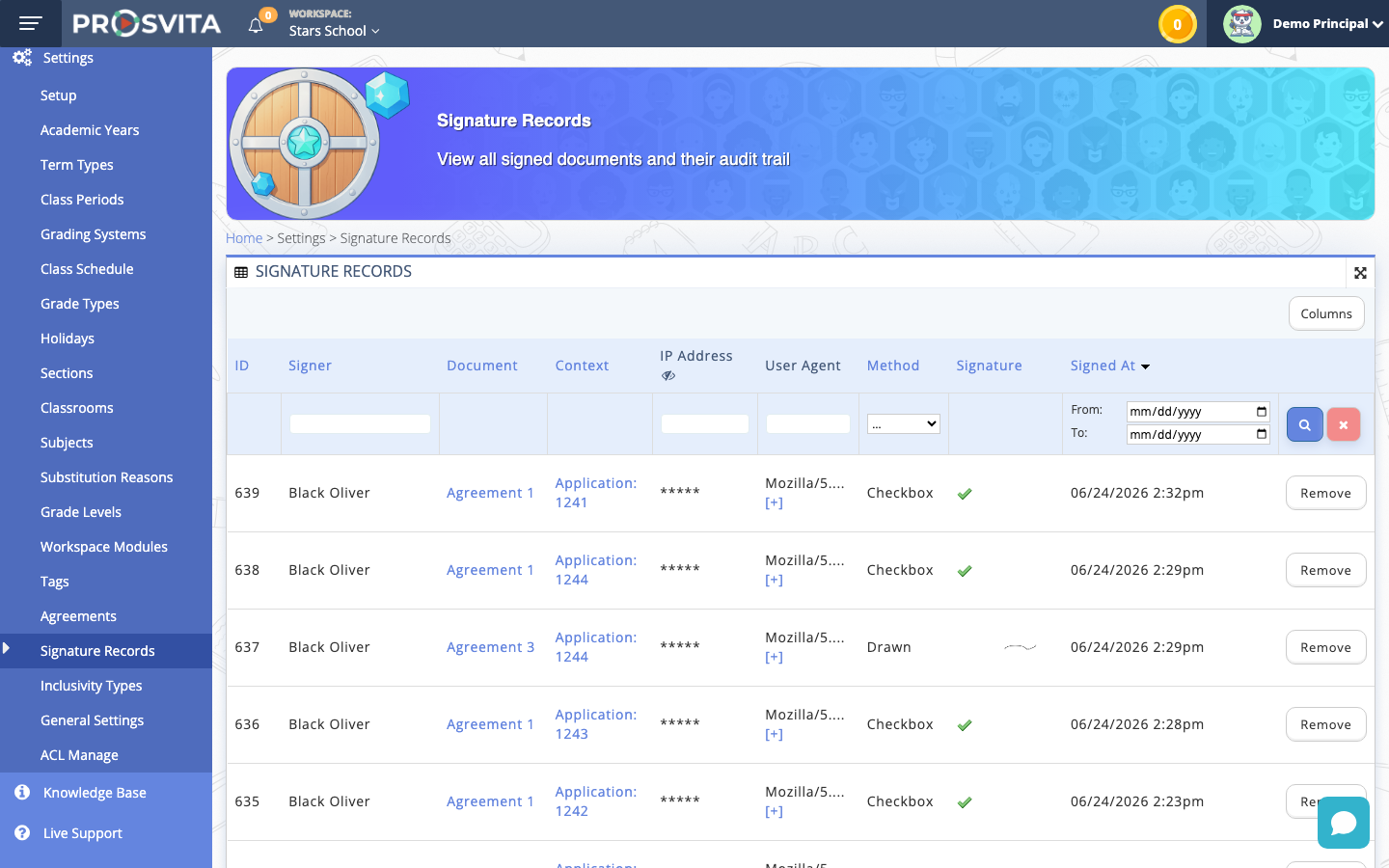
Every signature is stored with a full audit trail, so consent is always traceable. The Signature Records page shows who signed, which document, in what context, the method used (drawn or checkbox), and the exact time. Administrators get a single, reliable place to confirm that consent was collected.
Use case: A coordinator needs to confirm that a parent agreed to the program terms before a trip. She opens Signature Records, filters to the child's application, and sees the signed agreement with the signer, method and timestamp, without asking the family for a paper copy.
Smarter Student Import Without Duplicate Accounts
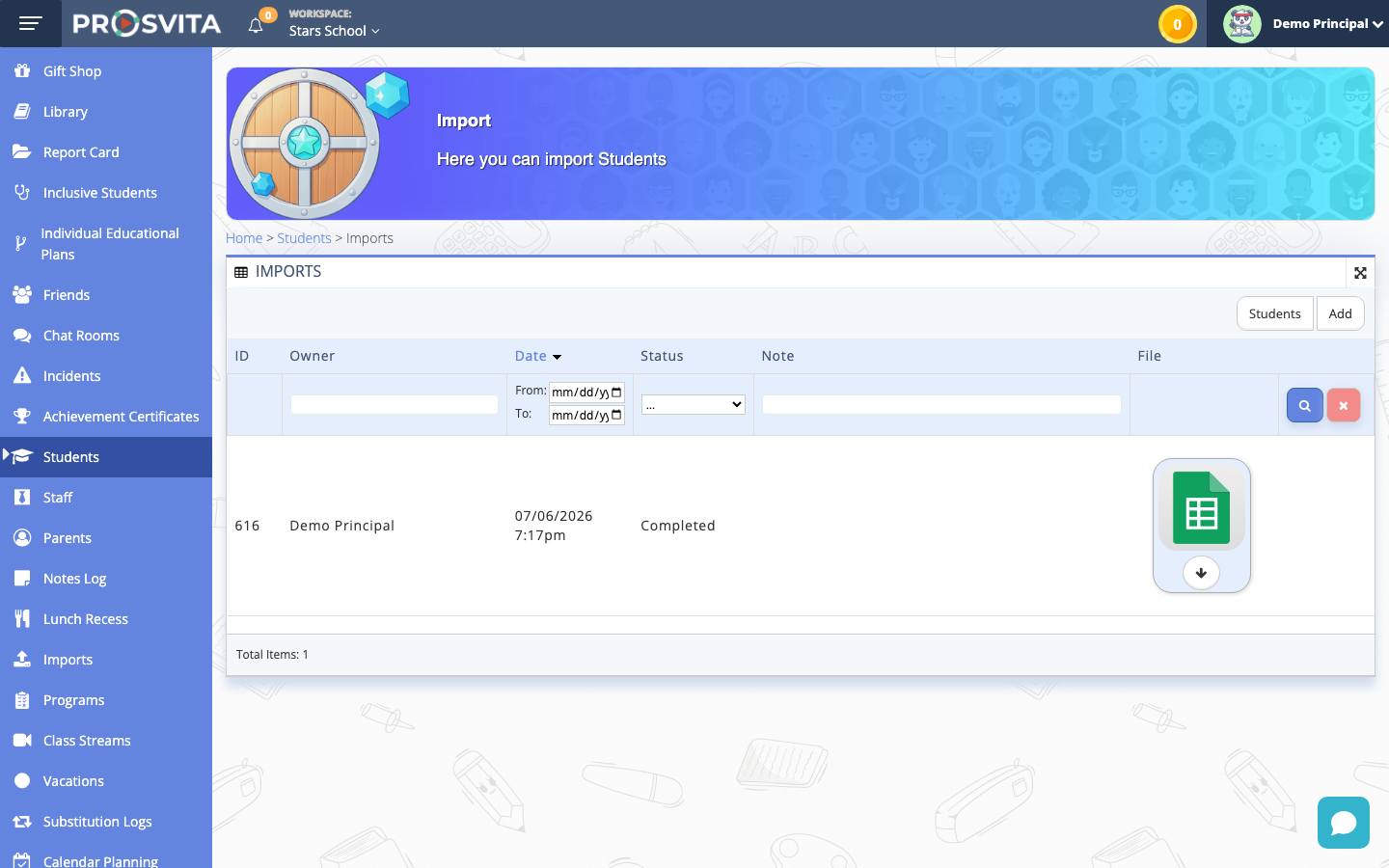
Uploading a class list from a spreadsheet is the fastest way to set up or update a workspace. In v3.47 the import is smarter: when a student in the file already exists in Prosvita, the system recognizes them by email and name and links to the existing account instead of creating a new one. New students are created, returning students are matched, and everyone lands in the right sections.
Use case: An administrator uploads an updated class list at the start of a new term. Returning students are matched to their existing accounts, new students are added, and the roster is ready without a single duplicate to merge.
Software Release Notes
New Features
- Sign program and session agreements online during enrollment, using a drawn signature, a checkbox, or a typed name
- Required agreements block completion of the Child step until every document is signed
- Manage agreements as PDF documents: add a name and description, assign to a program or session, and mark required
- Signature Records audit trail showing signer, document, context, signing method and timestamp
- Reuse the same agreement across multiple programs and sessions
Fixes
- Duplicate student accounts are prevented during import: existing users are matched by email and name and linked to their account instead of creating a new record
- Re-running a student import, or adding a student across several sections, no longer splits the student into multiple accounts
Get Started with the New Features
e-Signatures and agreements are available under Settings for administrators. Add each agreement as a PDF, assign it to a program or session, and mark it required. Parents then sign during enrollment on the Child step. Smarter student import is available from the Students page and works automatically: existing students are matched instead of duplicated. Leave a request!
FAQ
How do parents sign program agreements?
Where can administrators review signed agreements?
How do I set up an agreement for a program?
What happens if I import a student who already exists?
Can I re-run an import safely?