Prosvita v3.45 Release: Multimedia Quizzes, the New Report Constructor and Workspace Templates for Faster School Launches
Modern schools are slowly moving away from purely text-based testing toward richer assessment, where a question can carry an audio file, a video clip or an external link, and where school leadership sees the academic process as a live set of metrics rather than a static spreadsheet. Prosvita v3.45 takes that step on three fronts at once: quizzes become genuinely multimedia, analytics gets a proper visual builder, and launching a new school or branch no longer starts from a blank workspace.
This release bundles four sequential versions (v3.45, v3.45.1, v3.45.2 and v3.45.3) into one product cut. Alongside new features it ships a major stabilization pass: a core framework upgrade, expanded automated test coverage and fourteen targeted fixes that cut friction in the everyday workflows of teachers, administrators and parents.
Together that makes v3.45 one of the most substantial Prosvita releases in months: teachers gain a stronger assessment tool, school administrators finally have a real Report Constructor, and providers running multiple programs can launch new instances from a reusable template.
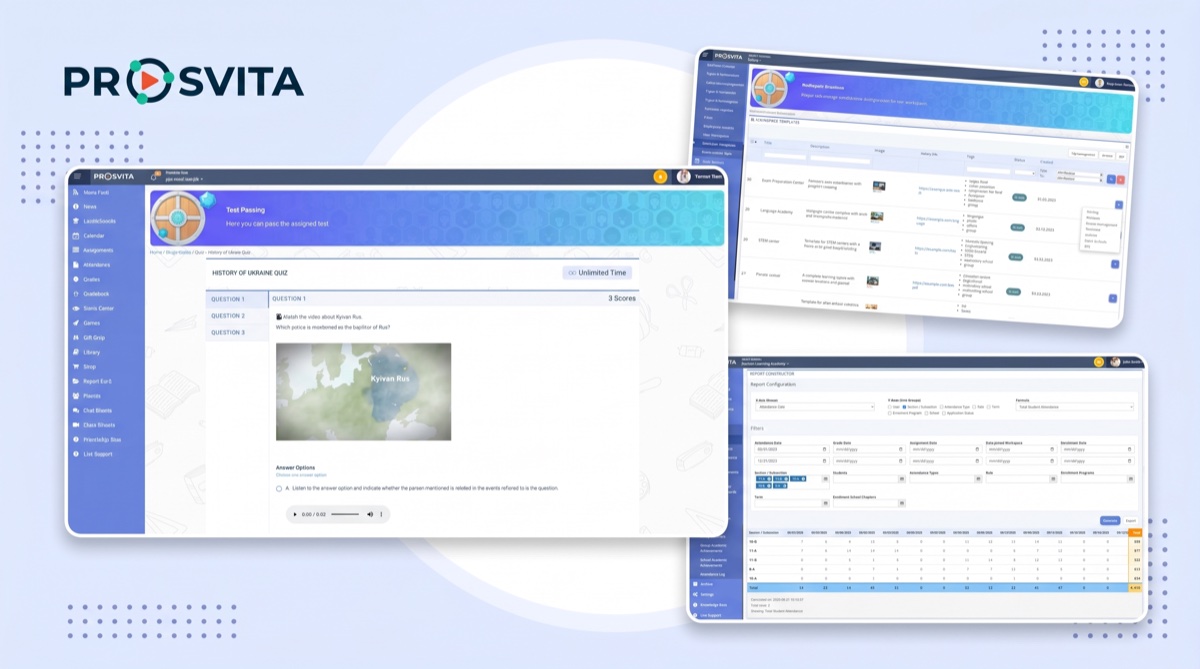
Key Features for Teachers, Administrators and Education Providers
Audio and Video Questions in Quizzes: Real Multimedia Assessment
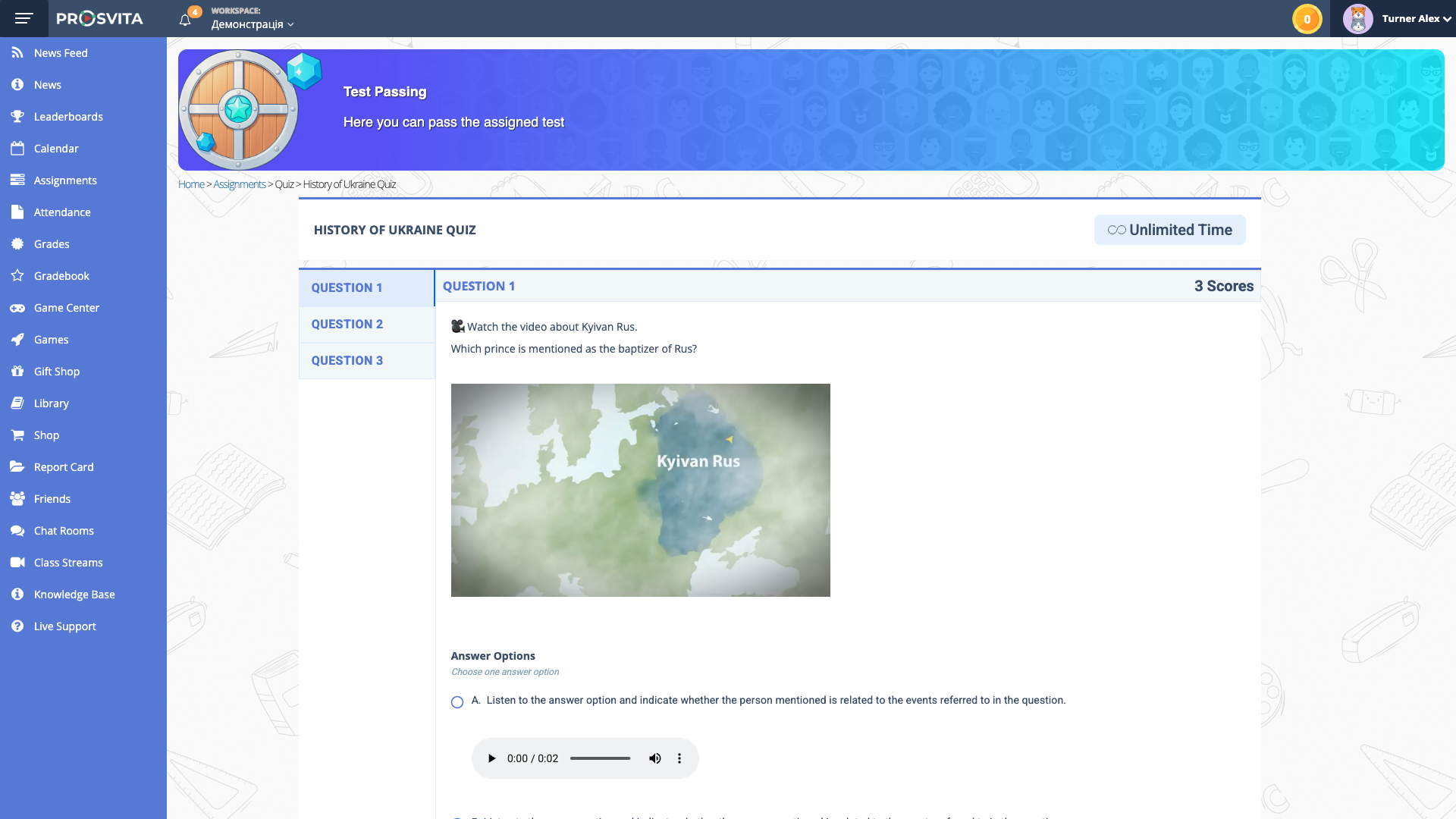
Quizzes in Prosvita used to be a primarily text-based tool. Adding an image was possible, but audio and video stayed in the "manual" category: a teacher would paste a link in the assignment, ask the student to open it in another tab and trust them to come back. For language teachers, music teachers, drama, listening comprehension and digital-literacy courses, that meant a broken student experience and an opaque assessment trail.
In v3.45, the quiz becomes genuinely multimedia. A teacher can upload an audio file (MP3, WAV) or a video file (MP4, MOV) directly into a question or an answer option. External media links from YouTube and Vimeo can be embedded inline. The platform applies sensible file-size limits driven by global settings. Students get standard playback controls: play, pause, seek, and they can replay media as many times as they need throughout the attempt. The interface works consistently on desktop and mobile.
A separate addition: an extended editor for answer options. Each option can now carry its own multimedia payload, not only text. Scoring and grading logic stay untouched: media playback never affects points or interferes with the completion flow.
Use case: An English teacher prepares a final listening test. The first question carries an MP3 dialog from the textbook, the second embeds a YouTube clip from a BBC news bulletin, the third uses answer options that each play a short audio sample. Students take the test on their phones on the way home, replay each clip as many times as they need and see their results the moment they finish.
Report Constructor: Visual Analytics with Transparent Formulas
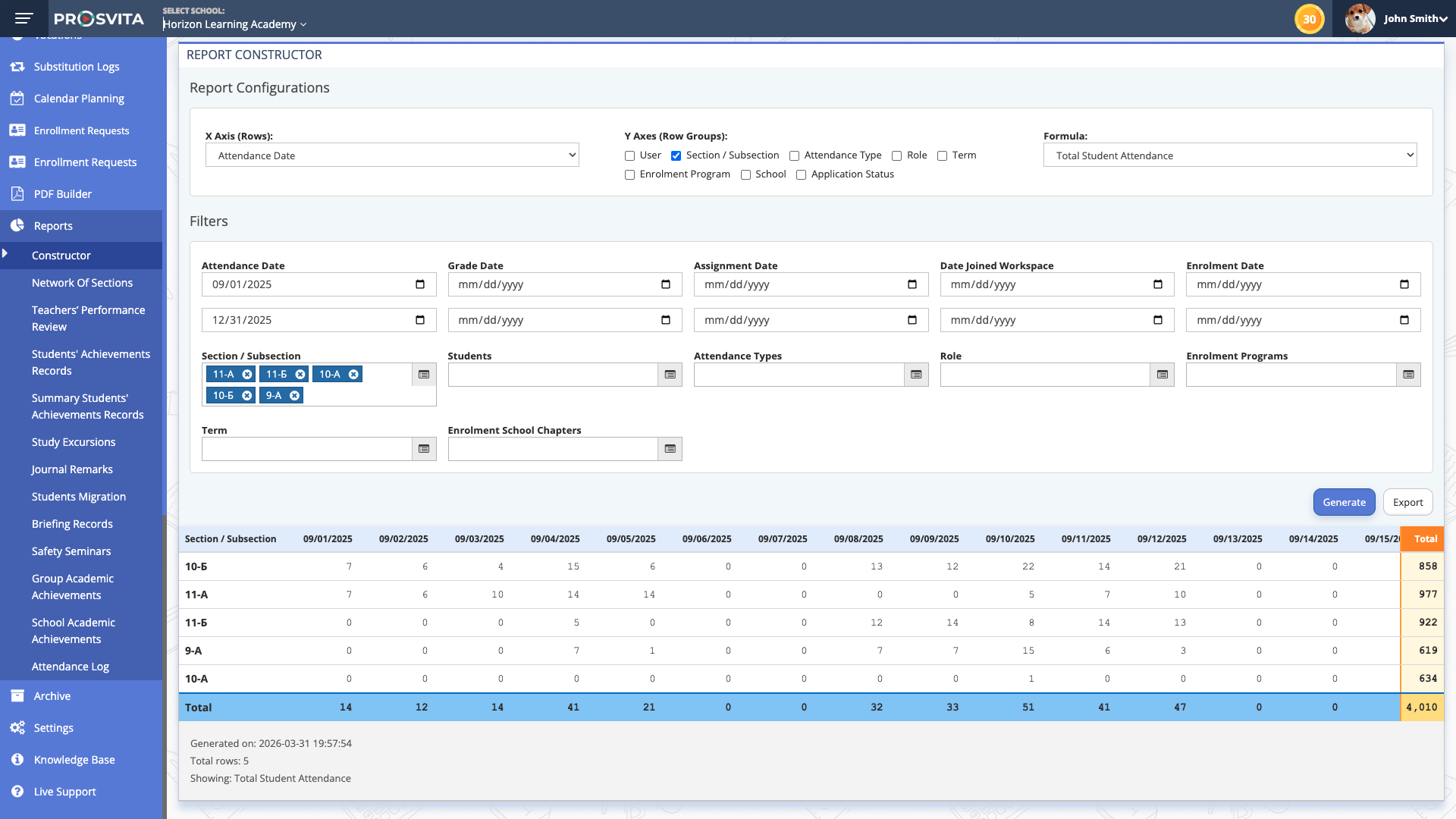
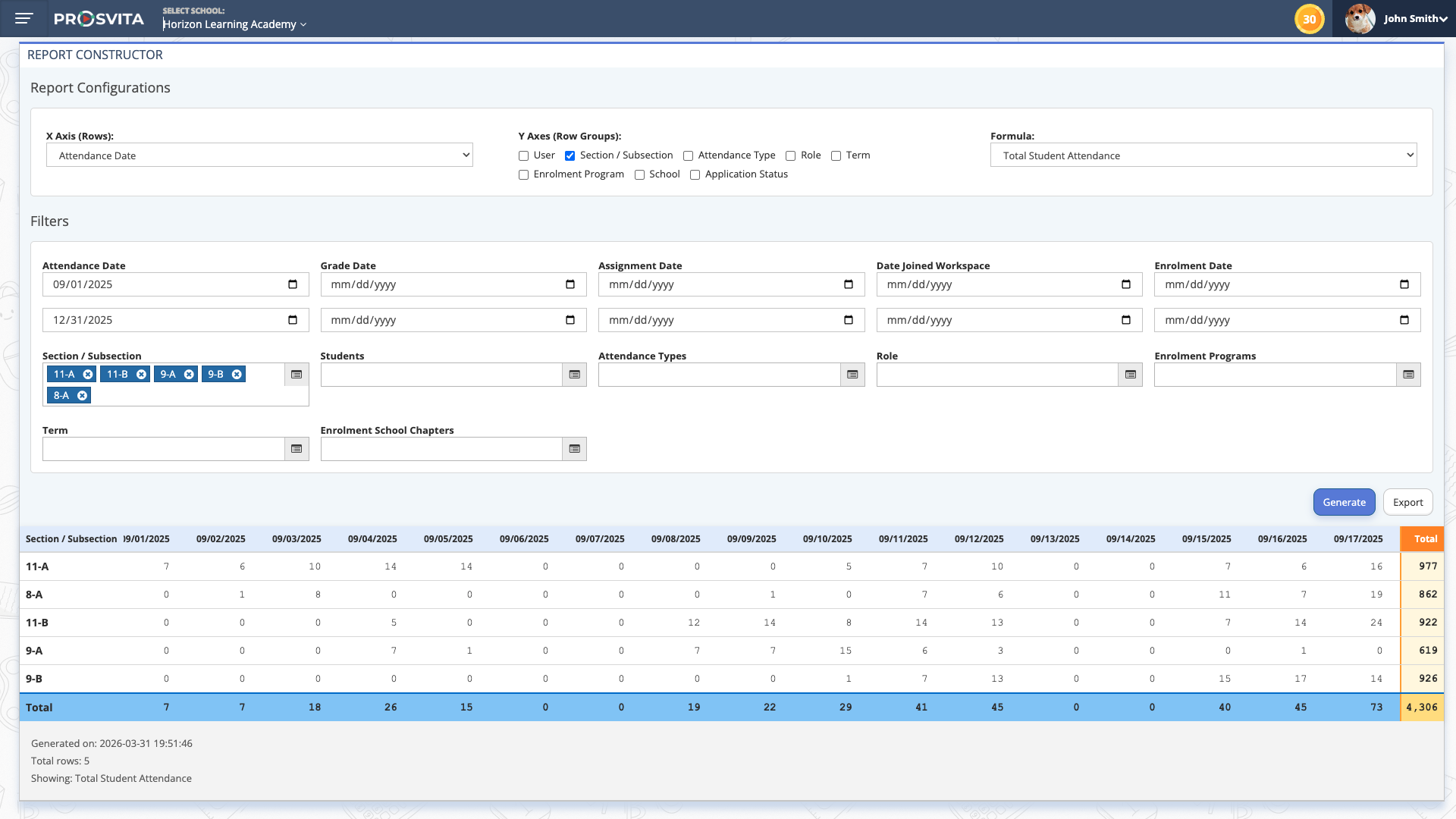
School analytics almost always runs into the same paradox: the data is there, but the report you actually need is not. Hard-coded reports rarely cover what leadership asks for, and Excel exports eat hours and lose context. In v3.45 Prosvita gives school administrators and academic deans a real Report Constructor: a dedicated entry under the Reports menu, available to any user with the right permissions.
The Constructor works around two axes: rows (X) and row groups (Y). Available dimensions cover Students, Staff, Date, Section, Attendance Type, Role (user types) and Terms. The formula field has been rewritten in plain language and now exposes concrete business metrics: Average Student Attendance, Unique Students Count, Total Student Attendance, Average Grade, Total Completed Homeworks, Total Enrolments. An administrator no longer has to guess what each formula counts; the meaning is immediate.
That means an academic dean can stop preparing manual decks for staff meetings: she opens the Constructor, picks Students × Terms, drops in Average Grade and pulls a cross-grade table in under a minute. The same tool handles weekly attendance roll-ups, year-end board reports and ad-hoc inquiries from the principal.
Use case: A vice principal is preparing for parent-teacher meetings and wants to show attendance dynamics across the previous trimester, by class. She opens Reports, enters the Report Constructor, picks Students for rows, Terms for row groups and the Average Student Attendance formula. The report is generated instantly, can be saved or exported, and required no ticket to support.
Workspace Templates: Standardized Launches for New Schools and Branches
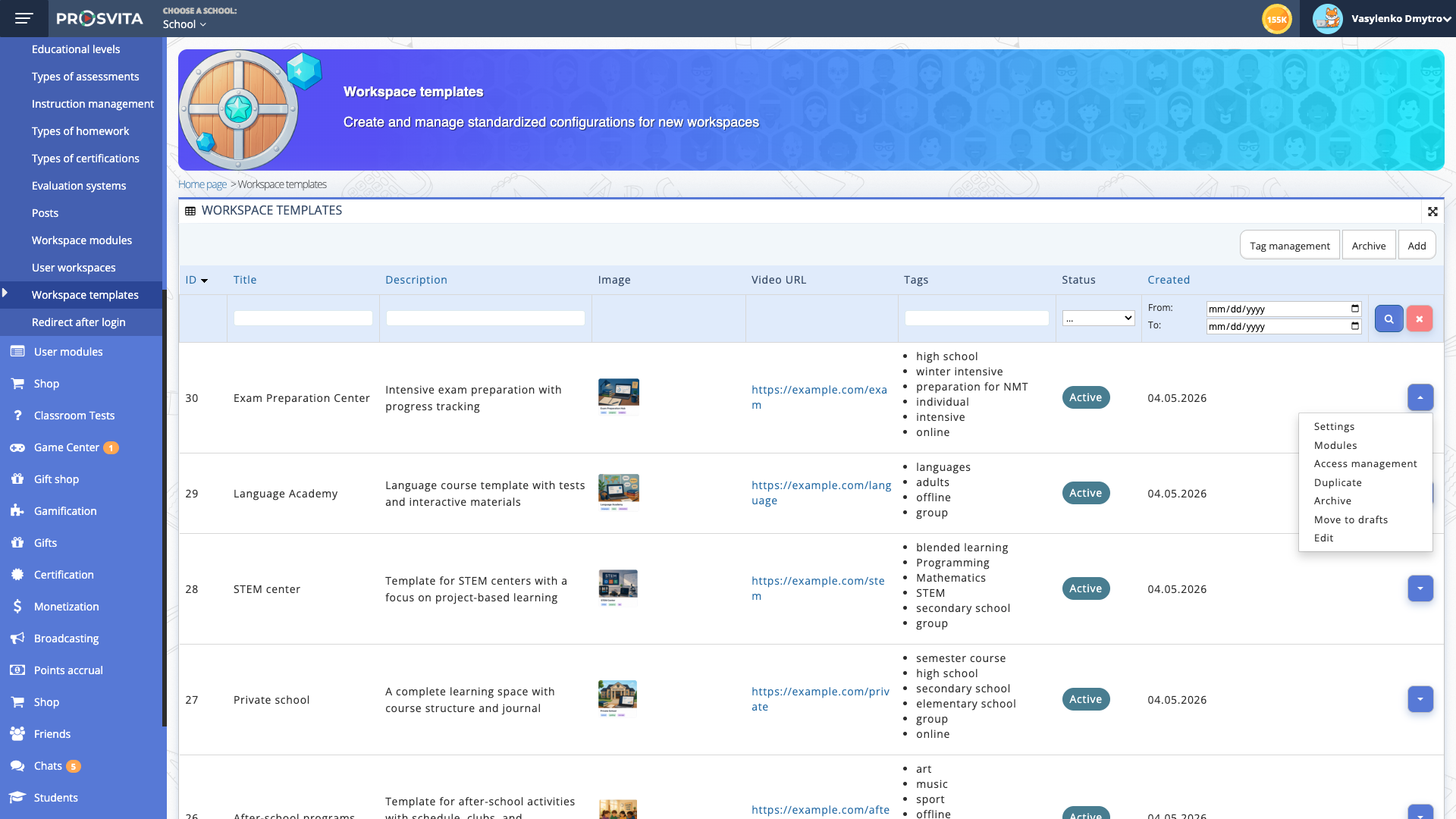
Until v3.45, creating a new school in Prosvita always started from an empty workspace. Settings, modules, roles and defaults had to be configured by hand, against an admin's memory or an internal checklist. For one-off launches that was tolerable. For school networks, After-School providers, STEM centers and tutoring chains it was a real bottleneck: every new workspace ate hours of manual work and still drifted slightly from the corporate standard.
v3.45 introduces the Workspace Template. A Super Admin can build a template that bundles general and workspace settings, the set of enabled modules, default option values for each module, and the default roles and permissions. Each template is described as a card with title, description, image or icon, tags (Education, STEM, Online, After-School and so on) and an optional onboarding video. Operators can keep separate templates for After-School Program, Private School, Public School, Online Courses, STEM Center, Tutoring Center and other formats.
Under the hood this lays the foundation for self-service onboarding: in a future release, a customer will be able to pick a template and instantly spin up a fully configured workspace. In v3.45 the functionality is exposed at the template-management level, so operations teams can already standardize new school launches today; the self-serve flow follows in upcoming releases.
Use case: An education provider is rolling out an After-School network across five cities. Instead of hand-configuring every instance, the head admin builds an "After-School Program" template with the right modules (Schedule, Journal, Chats, Gamification), the unwanted ones disabled, and the correct default roles (Coordinator, Coach, Parents). Every new launch now takes minutes and is guaranteed to match the corporate standard.
Platform Stabilization: Framework Upgrade, Wider Test Coverage and Fixes
v3.45 also closes a sizeable stabilization cycle. The team upgraded the core framework and substantially expanded automated test coverage on key modules. The follow-on cuts v3.45.1 and v3.45.2 closed individual regressions, and v3.45.3 shipped a series of polish items including a clear "Drop-out" indicator in the Student CSV export for expulsed students, plus a fix for Journal PDF exports that were duplicating the lesson date and lesson number for Quiz / Exam grade types with NUS competencies near a page break. Fourteen targeted fixes removed a long list of daily friction points, from a date-filter bug in the Timetable to a problem that blocked teachers from completing a quiz review with multiple open questions.
Prosvita v3.45 Release Notes
New Features
- Audio and video questions in quizzes: upload MP3, WAV, MP4 and MOV files or embed YouTube and Vimeo links with full playback controls; audio and video are also supported in answer options through an extended editor
- Report Constructor: a new entry under the Reports menu, X/Y axes covering Students, Staff, Date, Section, Attendance Type, Role and Terms, renamed formulas (Average Student Attendance, Unique Students Count, Total Student Attendance, Average Grade, Total Completed Homeworks, Total Enrolments), permission-controlled visibility
- Workspace Templates: a new Workspace Template entity for Super Admins (general settings, workspace settings, modules, module default values, roles and permissions); template card fields cover title, description, image or icon, tags and an optional onboarding video; foundation for self-service onboarding of new schools and companies
- Drop-out indicator in the Student CSV export: a clear status flag for expulsed students directly inside the exported file, no extra checks required
- Core framework upgrade and expanded automated test coverage on key modules
- Refreshed developer documentation, including API guidelines
Fixes
- Journal PDF no longer duplicates the lesson date and lesson number for Quiz / Exam grade types with NUS competencies near a page break
- Substitution edits in the Timetable no longer break correct lesson rendering
- Group Academic Achievements now displays grades from subsections
- Student or staff credentials cannot be changed to an email address that already exists in the system
- Students get the correct role after import, with no manual cleanup required
- Image rendering in quiz questions is consistent across all viewing states
- The date filter in the Timetable no longer jumps to the wrong year on edge dates such as 29.12.2025
- Several UI issues in the new chat have been resolved
- Teachers can now grade every "Text answer" question in a quiz, not just the first one
- Deleted staff members no longer receive reminder emails
- Chat creation in the Journal no longer raises an error
- Quiz reviews now run to completion without freezing on the teacher's side
- The "Filter by School" control works correctly under Superschool in the Students module
- The quiz Results page no longer freezes when the timer popup overlaps the completion popup
- Subject names render for subsidiary schools when the subject was added at the Superschool level
Get Started with the New Features
Audio and video questions in quizzes and the Report Constructor become available immediately after the upgrade for users with the matching permissions. Workspace Templates are managed at the Super Admin level. If your school runs in a Superschool structure, it is worth reviewing access-control roles ahead of time and confirming which users should see the Report Constructor. Get in touch!
FAQ
Which audio and video formats does Prosvita support in quiz questions?
Can a student replay an audio clip in a quiz multiple times?
Who has access to the Report Constructor in v3.45?
How do Workspace Templates differ from cloning an existing school?
What is behind the framework upgrade in v3.45.3?