Prosvita Update 3.30: New Testing and Assessment Features
We continue to enhance Prosvita to make the learning process even more effective. Update 3.30 focuses on improving testing functionality and expanding grading capabilities for modern classrooms.
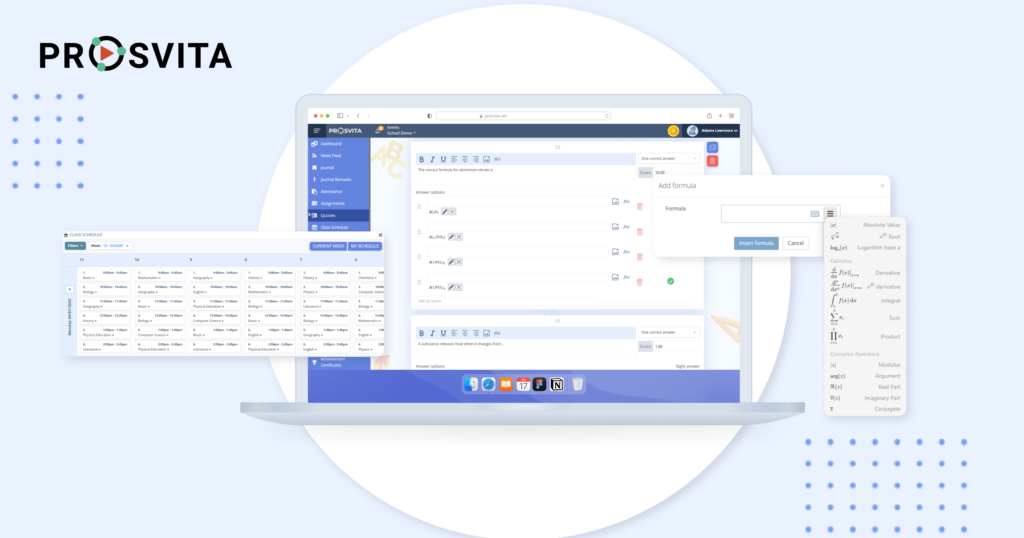
Improved Testing Features
Test duplication is now available in the Test List section, allowing educators and administrators to copy tests quickly and save time. PDF export also makes it easier to review student performance reports in the Test Review section.
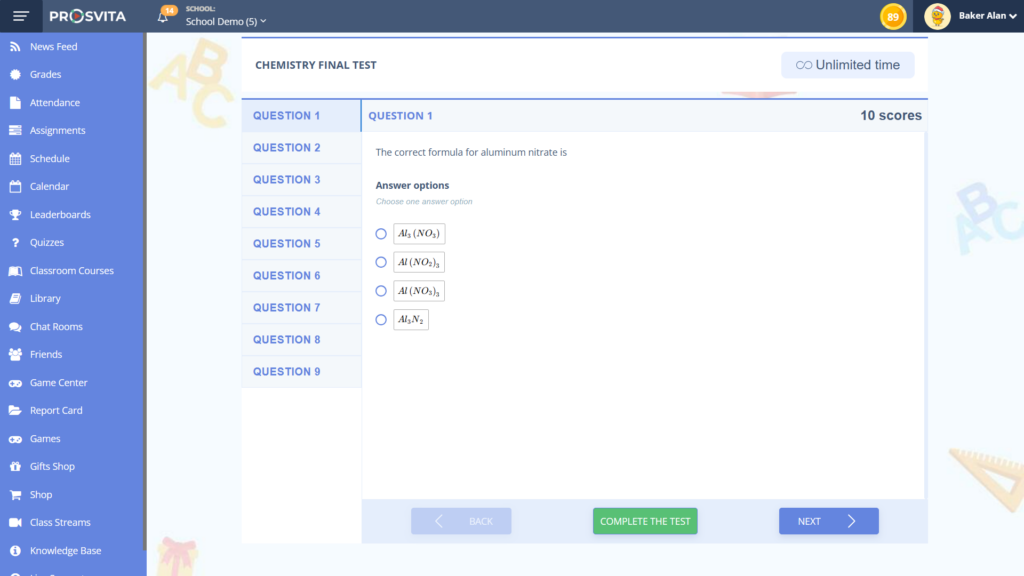
We added support for mathematical and chemical formulas in test questions and enabled images inside answer options to improve the visual perception of material.
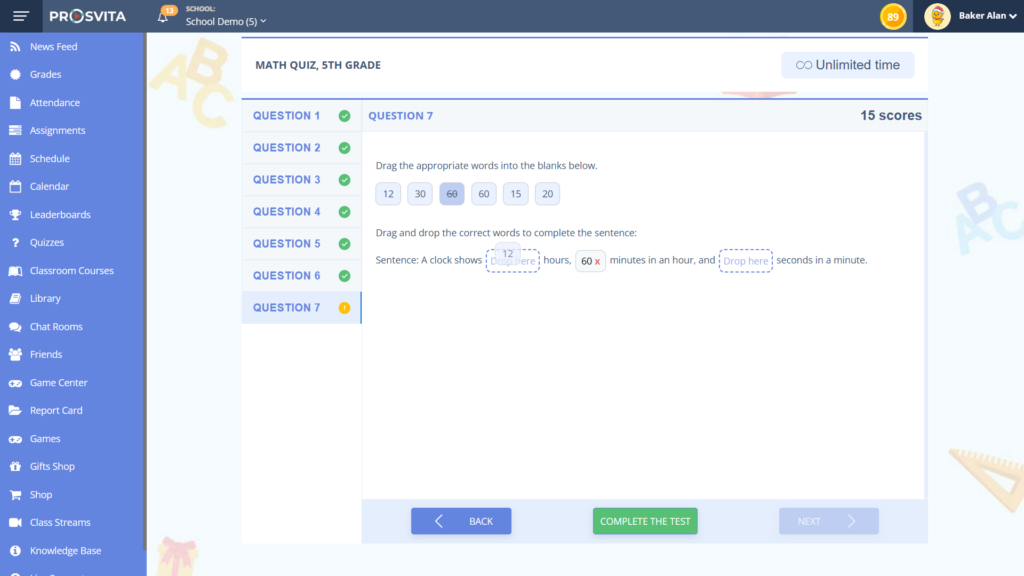
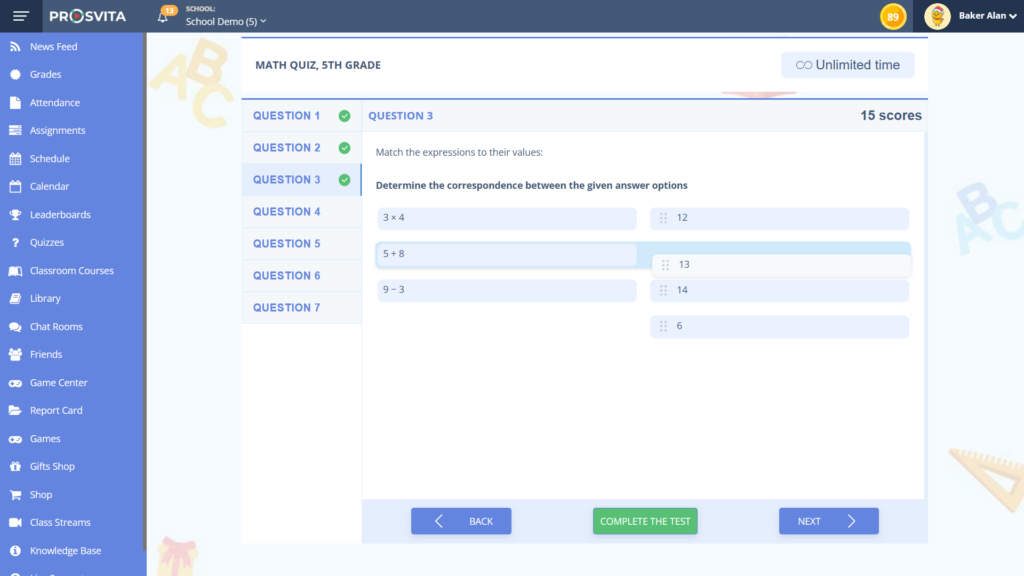
New question types such as Matching and Fill in the blanks give teachers more tools to assess overall understanding.
Fill in the Blanks
This format allows students to choose the correct answer from provided options within the text or type in their own answer, making knowledge checks more flexible and adaptive.
Matching
The Matching question type encourages interactive learning by allowing students to link related elements together. This fosters deeper understanding and supports a more dynamic learning environment.
Mathematical and Chemical Formulas
Teachers can now include complex equations directly in test questions without relying on third-party tools or extra explanations. Students work with formulas just as they would in a notebook or on the board.
Grading System Enhancements
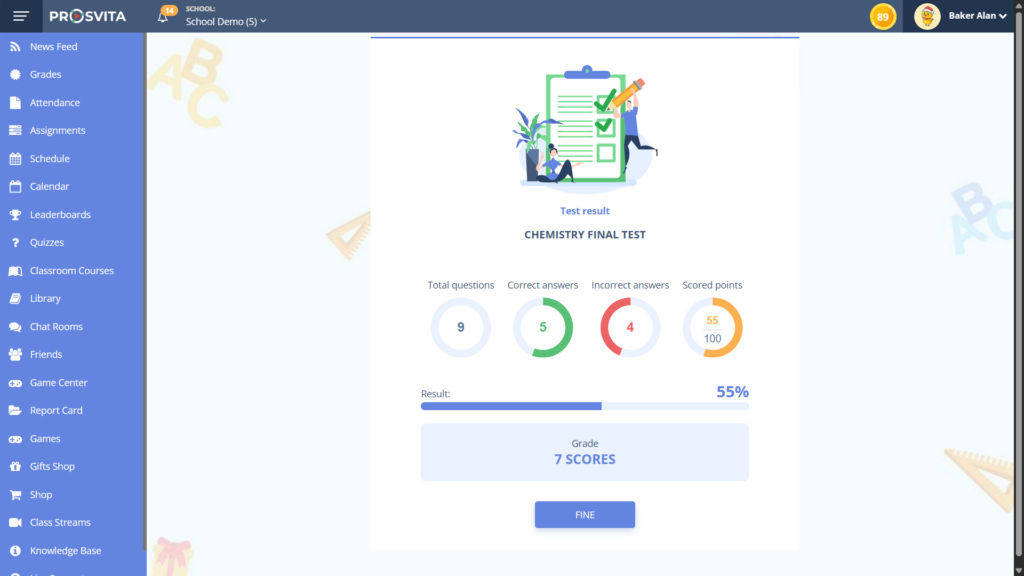
The scoring logic for questions with multiple correct answers has been updated to ensure a more accurate and fair assessment. Test questions now also support decimal scoring, not just whole numbers.
These changes make grading more precise and flexible, especially when partial answers still deserve partial credit.
Release Notes
Improved
- The mobile version became more user-friendly, including quick search in the mobile gradebook.
- Teachers can leave comments without assigning a grade and highlight individual cells in the gradebook.
- A calendar planning module and new widgets for notes and attendance were added.
Fixed
- Test scores no longer change after being transferred to the gradebook.
- Improved mobile gradebook filter performance for faster and more accurate results.
- Android app notifications now work correctly and reliably.
- Class teachers can edit student information in the My Class section.
- Zoom conference integration was fixed for stable online meetings.
How to Connect to the Platform?
Not with us yet? Reach out through the contact form below to try the updated testing and grading tools in your institution.