Prosvita Release v3.31: Improvements Assignment Module
We continue to improve the platform to make learning management friendly and efficient.
The latest update expands the functionality of assignments, simplifies review processes, and enhances the interface so educators can work faster and with more clarity.
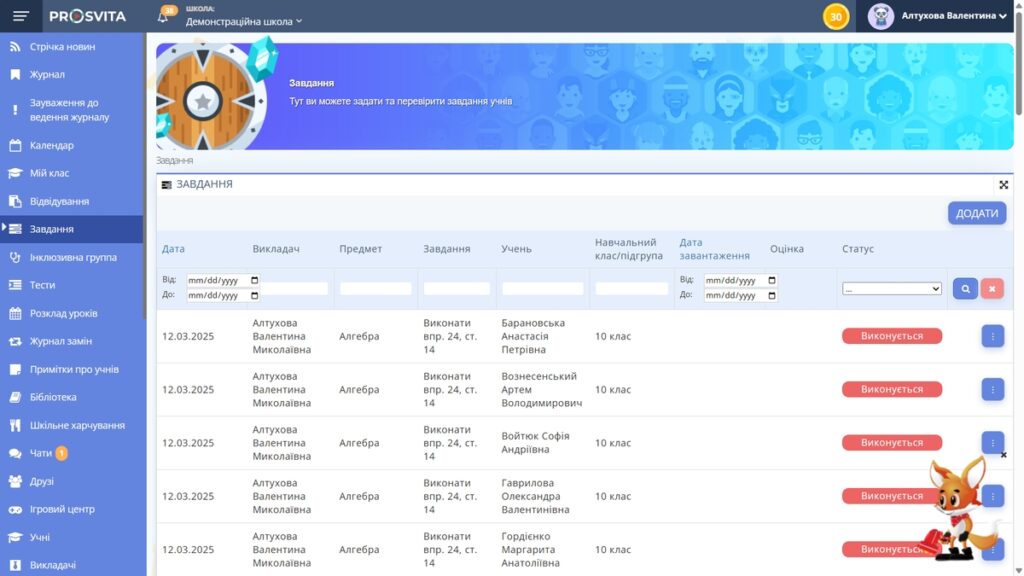
Overview
The new release of the Assignment Module improves filtering, searching, and assignment management. Users can quickly find assignments using various criteria and then view, edit, or cancel them while tracking their statuses more effectively.
Assignment Features
The Assignments Module is a key tool for managing student work efficiently. It allows users to assign tasks, review submissions, make edits, and track student progress to keep the learning process organized and on track.
Review and Edit Assignments
Teachers can review assignments quickly and conveniently, evaluate results, answer questions in chat, and give students feedback on their work and projects. Editing and canceling assignments is also available.
Filter and Search
To improve usability, the module now includes filters that let you quickly find tasks based on various criteria. This simplifies search and helps you reach the information you need with less effort.
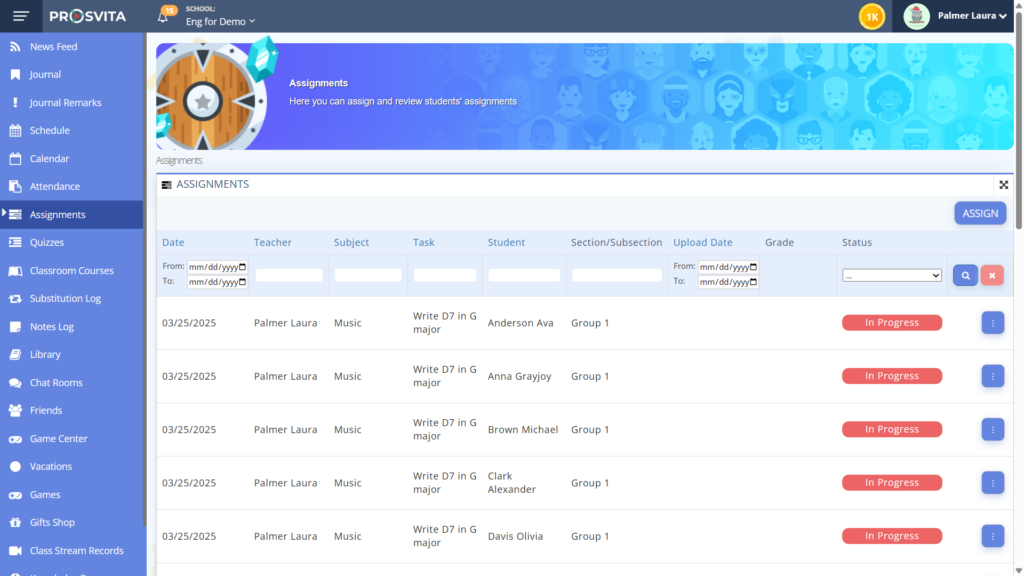
Modify Assignment Status
We introduced additional task statuses, giving you a clearer picture of where each student stands. You can now monitor work with these statuses:
- Awaiting Verification
- Done
- Canceled
- In Progress
Homework plays a vital role in reinforcing knowledge, fostering independence, and building critical thinking skills. Improved status tracking helps you better support each learner’s journey.
New Assignment Type: Individual Tasks
Previously, educators could assign homework only as part of a specific class session. This made it difficult to provide extra tasks or follow-up work outside the regular class structure.
With this update, you can now create and assign homework separately from any scheduled class. That gives teachers and administrators more flexibility to support individual learning needs and offer extra practice.
Programs Module
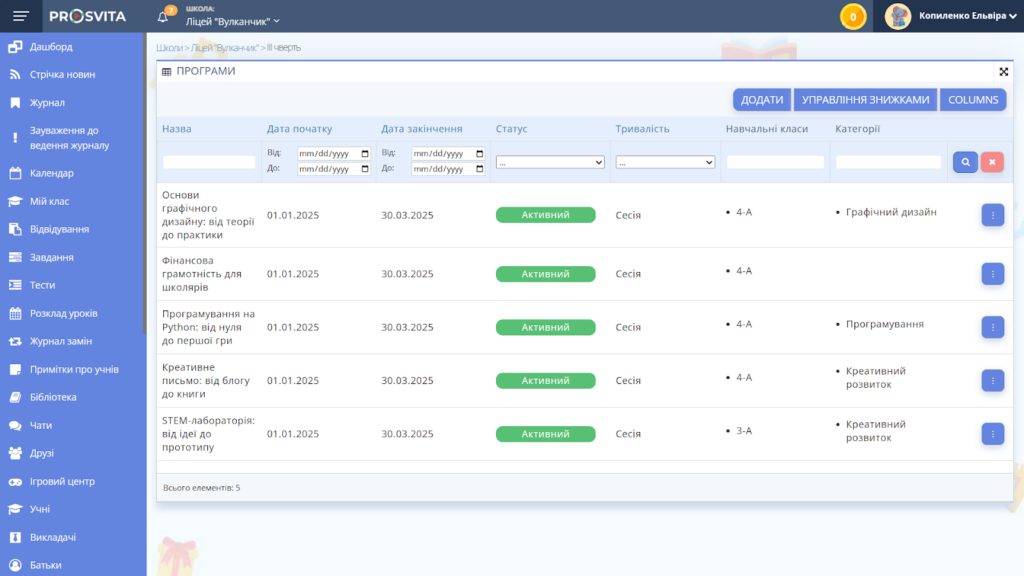
We also introduced a Programs Module for organizing before- and after-school care, enrichment programs, and additional classes with integrated payment features for families.
Who Is It For?
This module is built specifically for educational leaders and school administrators who need full control over how programs are created, managed, and offered to students.
- After-school coordinators
- Enrichment program managers
- Summer camp organizers
- Private schools and extracurricular academies
All-in-One Program Management
With the Programs Module, you can create and customize programs, track registrations, manage student and parent profiles, and accept tuition payments, including installment options.
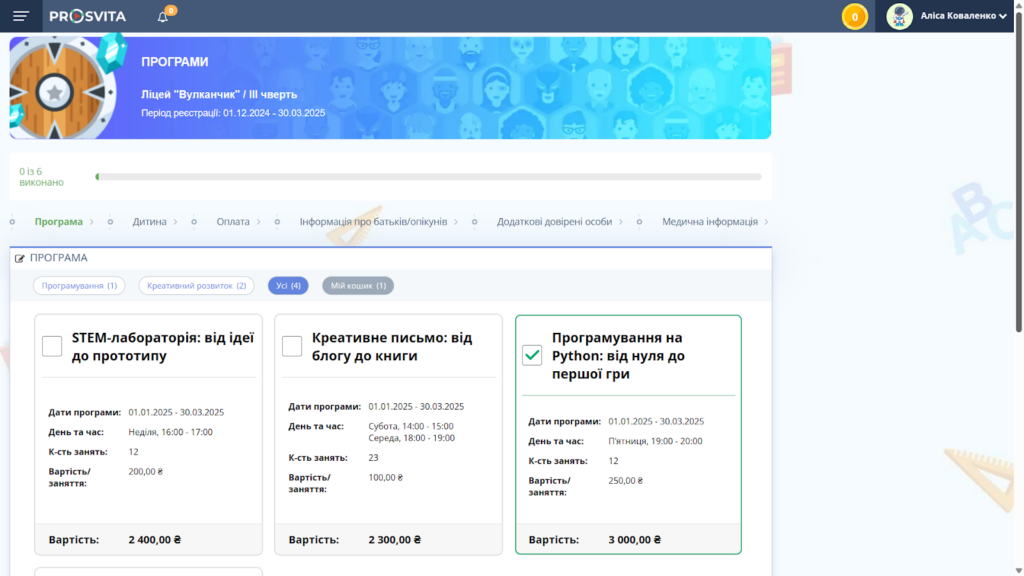
Create Programs That Fit Your Needs
Customize your offerings by choosing online or in-person formats, single or recurring sessions, start and end dates, and free or fee-based pricing.
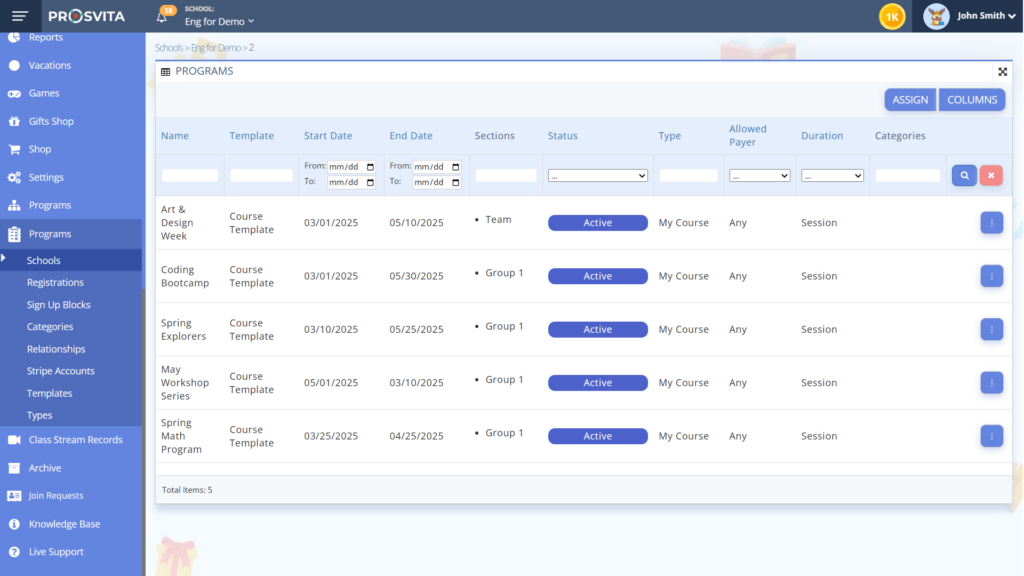
Why School Leaders Love It
- Saves time on administrative tasks.
- Boosts participation in extended learning.
- Makes billing and payments effortless.
- Keeps families informed and engaged.
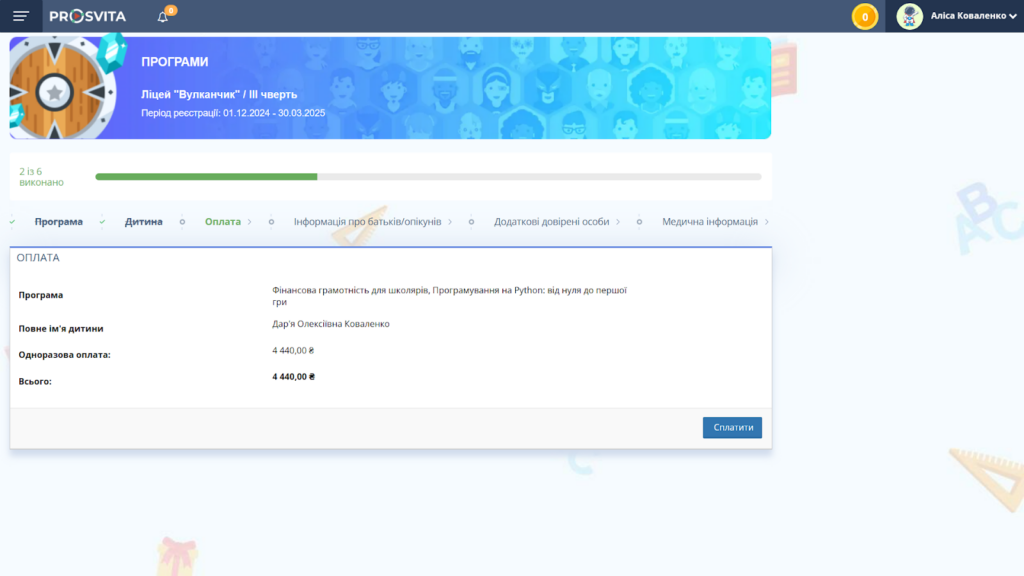
Simplified Payments for Families
The system supports secure online payments, tracks payment status in real time, and allows parents to pay in full or in installments, making programs more accessible for families.
Release Notes
Improved
- The page for submitting and checking assignments was updated for smoother interaction between students and teachers.
- Added the ability to search for a school or branch in a drop-down list.
- Added student registration without the need to be linked to a specific class.
Fixed
- Incorrect highlighting of the Assignment menu item when viewing results.
- Errors when entering incorrect grades in the log.
- File name display in confirmation windows.
- Incorrect grade display where annual grades were replaced by lesson grades.
- Incorrect sorting of students in the class list.
How to Connect to the Platform?
Not with us yet? Reach out through the contact form below to explore the updated assignment and program management tools.